

A real report, captured
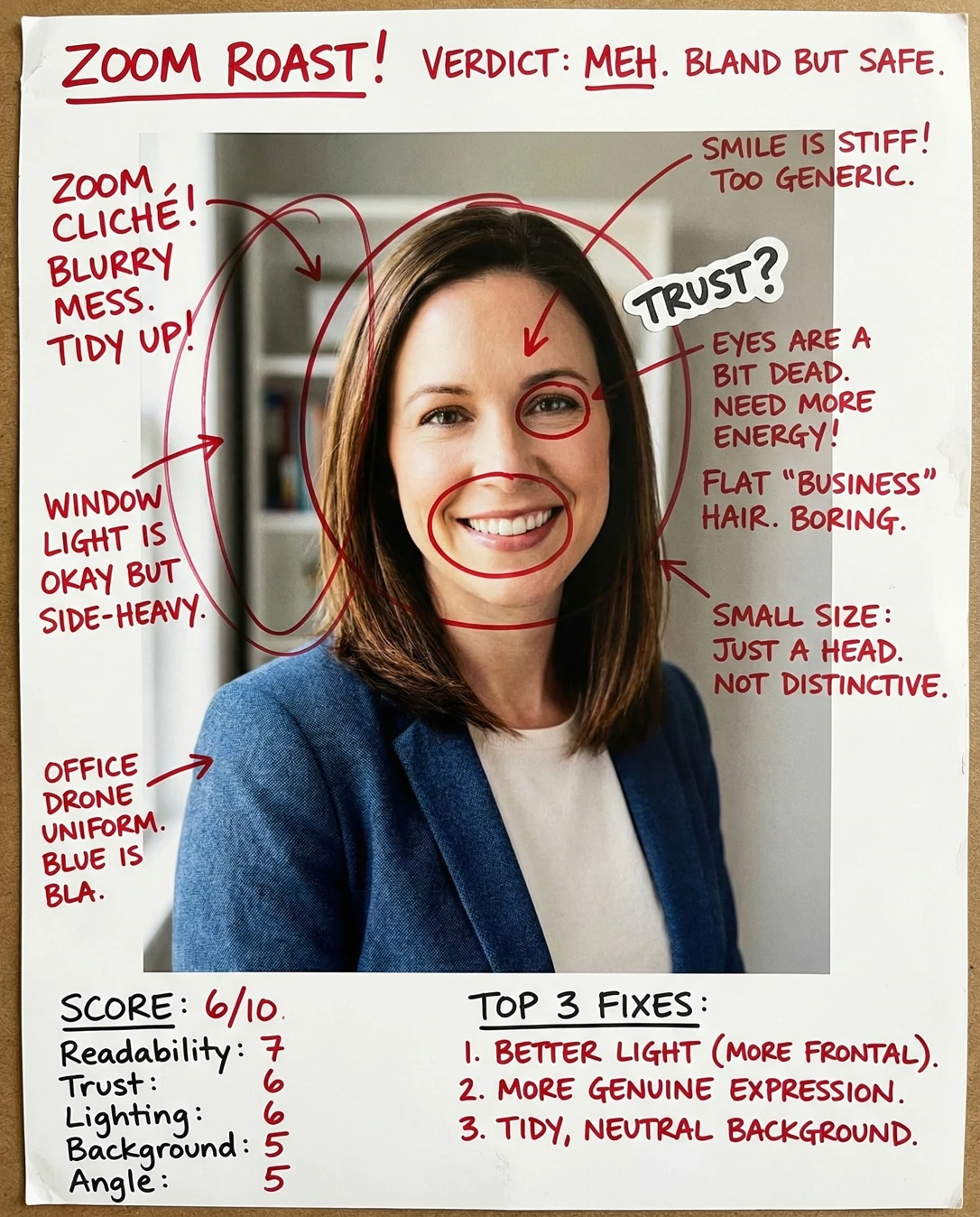
You've already nailed the hard parts — eye-level camera, soft window light, and a smile that says 'glad you're here' — so just crop in tighter and tame that blown-out window edge, and this becomes the tile everyone instantly trusts.
Where this photo works
Squarely a Zoom-profile photo: it works beautifully in participant tiles, the waiting room, an account profile, and equally on LinkedIn, a team page or an email signature, because the face is centered, front-facing and eye level above center so it survives being shrunk to a tiny circle. It's less at home as a casual social or gaming avatar — the blazer and polished register read corporate, slightly formal — and if you ever use it as a large hero banner, the blown-out window at the left edge stops being quiet brightness and becomes a visible distraction.
Quickest fixes
- Crop to 1:1 with the face filling about 60% of the square and the eyes in the upper third.
- Trim or clone out the clipped white window at the left edge before uploading.
- Lift exposure warmth +5 to +8 and add a touch of shadow warmth to kill the cool cast.
Retake plan
- 1.Camera height: raise the camera so the lens is exactly level with your eyes; on a laptop, stack books underneath until the webcam is at brow height. This is the single most important setup step.
- 2.Distance: sit about 1.2-1.5 metres from the lens and let someone else trigger the shot, or use a timer. That distance keeps facial proportions natural and avoids the wide-angle stretch of a phone held close.
- 3.Light setup: face a window at roughly 30-45 degrees to your nose so the key light rakes across one cheek — never shoot with the window behind you, and close a sheer if the window clips to white.
- 4.Background: stand far enough from the shelf that it falls out of focus, or turn toward the plain grey wall; check the frame corners for anything bright or with readable text.
- Readability at Tile Size88
Subject centered, eye level above center, standard framing; the head occupies roughly two-fifths of the frame height, so at 32-48px the eye line and smile still resolve as distinct features rather than a smudge.
- Trust & Credibility90
Front-facing posture, direct lens contact, open teeth-visible smile, chin level, no visible filter smoothing or beauty-app artifacts on the skin texture.
- Lighting & Clarity85
Lighting arrives from the side, producing soft directional falloff across the cheek and a clean, even skin tone with no harsh overhead shadow under the eyes or nose; the left frame edge clips to pure white.
- Background Discipline82
Contextual interior: soft-focus shelving with books sits left of centre and a neutral grey-beige wall fills the right; no readable text or logos, but the shelf uprights create faint vertical lines behind the shoulder.
- Angle & Lens Distance90
Camera is at eye level and front-facing with natural facial proportion — no low-angle jaw exaggeration and no wide-lens nose enlargement, suggesting a sensible working distance rather than a phone held at arm's length.
- Attire & Grooming91
Textured blue blazer over a cream crew-neck top, tidy shoulder-length hair falling clear of the eyes, minimal earrings — clean business baseline that separates tonally from the background.
- Expression & Presence92
Genuine wide smile with engaged eyes and a relaxed brow, shoulders squared to camera — reads as competent and approachable at the same time, which is the exact meeting register.
- Colour & Skin Tone86
Daylight balance is neutral to slightly cool, skin is even and clean, and the blue-and-cream wardrobe sits harmoniously against the warm-grey wall; a faint cool cast shows on the shadow side of the face and neck.
- Composition & Crop84
Standard half-body framing with breathing space above the hair, but the composition is wider than an avatar circle needs, and the clipped window occupies the left strip of the frame.
What works
- Eye-level, front-facing camera discipline
The lens sits level with the eyes and the face is turned square to camera, so proportions read natural and the gaze meets the viewer directly.
- Soft directional daylight, clean skin
Side light from the window wraps the face with gentle falloff, keeping skin tone even with no harsh overhead shading.
What holds it back
- Clipped window highlight at frame edge
The window area at the left edge of the frame is blown to pure white, the brightest zone in the image and detached from the face.
- Background lines sit close behind the shoulder
Blurred shelf uprights and a book row occupy the mid-left of the frame directly behind the subject, adding faint vertical structure near the silhouette.