
A real report, captured
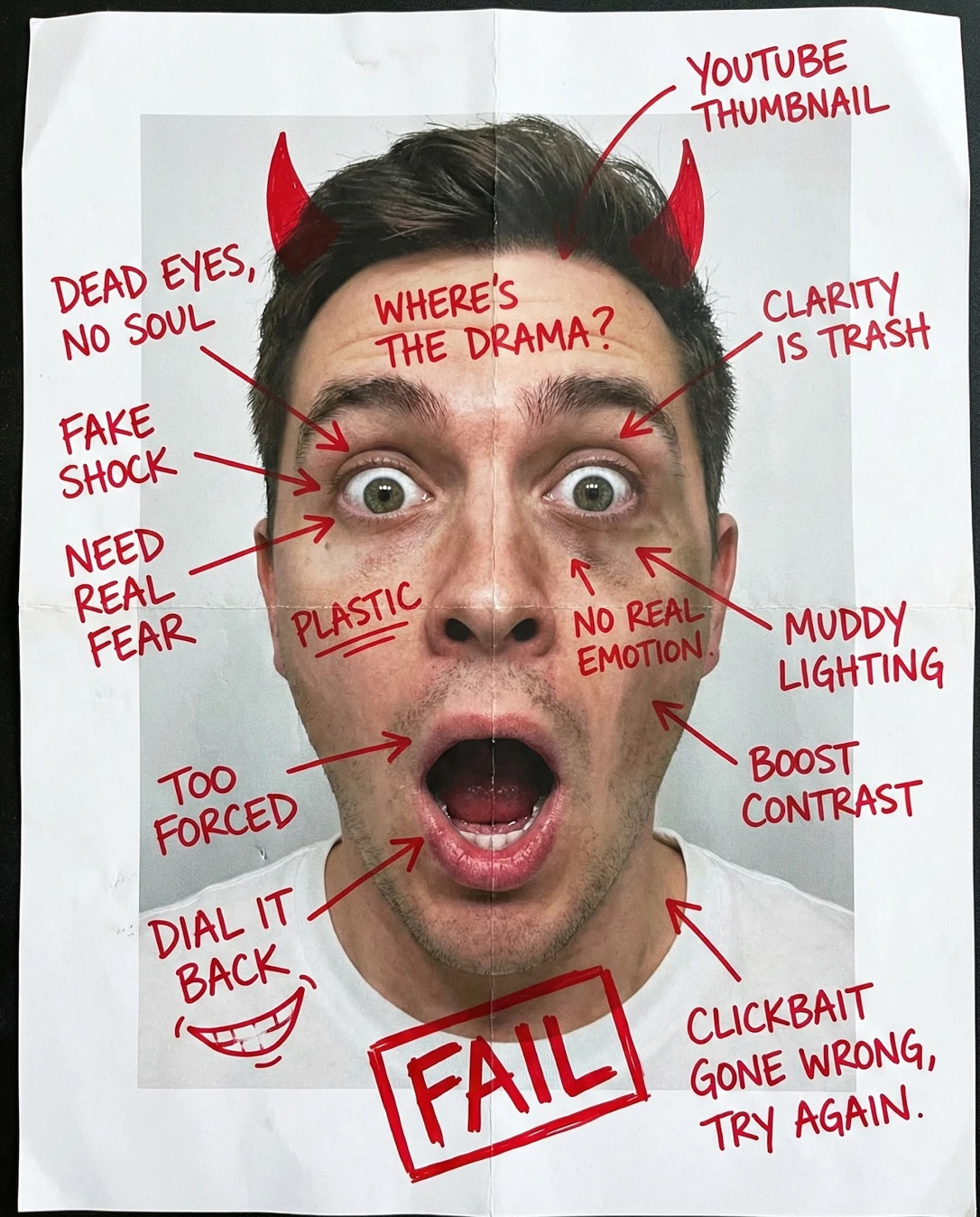
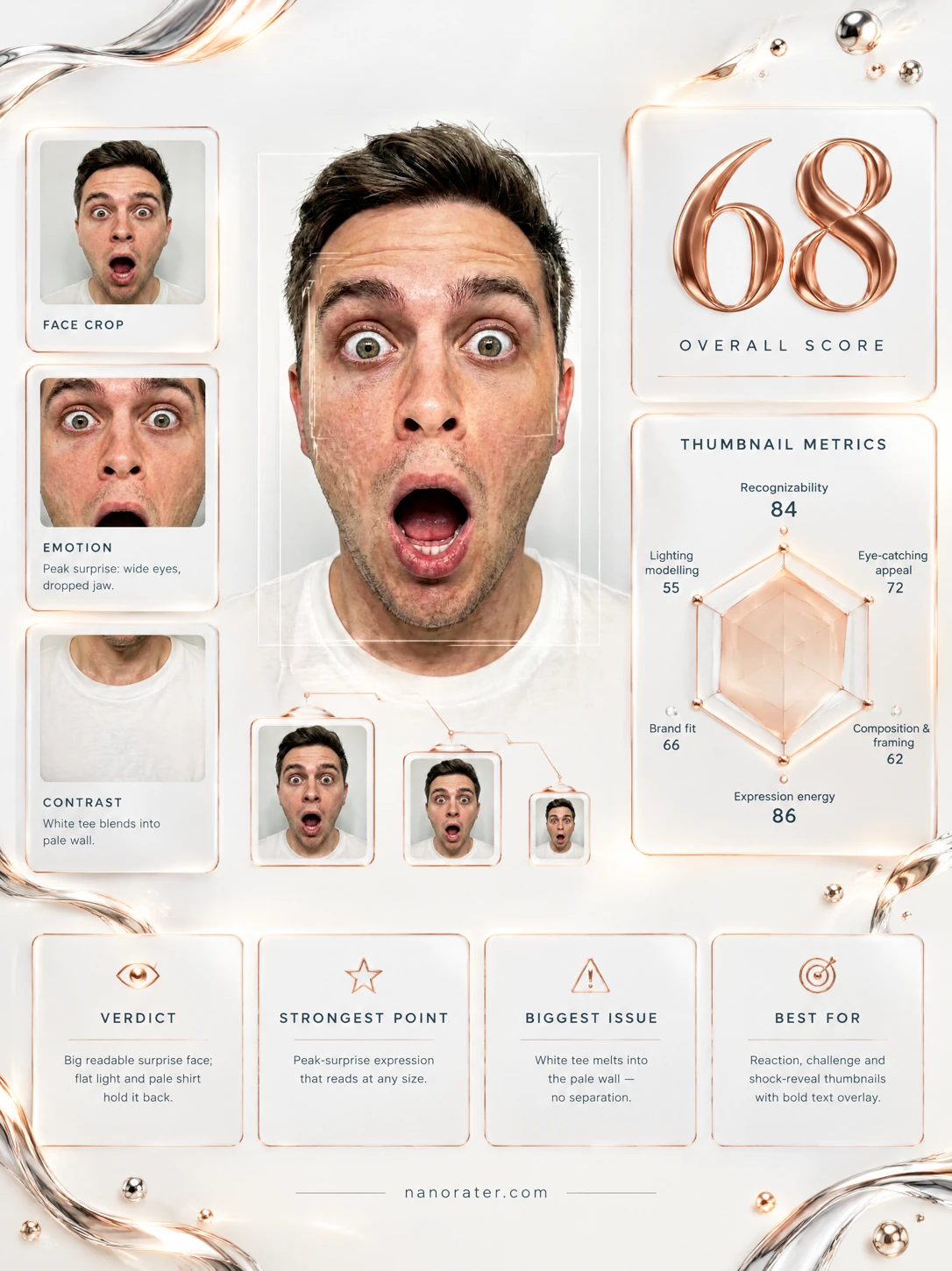
Oh, this face! You've got the jaw-on-the-floor, eyes-wide-open look that stops a scroll dead — and you're framed big and close enough that it still reads on a phone. What's holding it back is the light: everything is sitting in a soft grey middle, so your white tee and that pale wall quietly cancel each other out. Get a key light around to the side, give the backdrop some separation, and this leaps from 'nice reaction' to 'I have to click that.'
Where this photo works
This is a born reaction thumbnail — for shock reveals, commentary, 'I can't believe this happened' videos, anything where a big honest face does the selling. It's ready to sit next to bold caption text because the backdrop is clean and empty. Where it won't serve you: quiet, editorial, calm-explainer channels, or a small corner end-card where the wide mouth and pale shirt mush together at 100px. As a mid-frame or full-frame reaction hero, it's doing real work.
Quickest fixes
- Raise contrast and deepen blacks on hair, stubble and jawline.
- Add a soft vignette and darken backdrop corners for poster-like falloff.
- Darken or cool the wall 1-2 stops so it separates from the white shirt.
Retake plan
- 1.Set the key light 30-45 degrees camera-left, about one stop above the backdrop exposure, at a height just above eye level.
- 2.Add a rim or separation light behind the subject to peel the hair and left shoulder off the wall.
- 3.Swap the backdrop to mid-grey or a brand colour, or wear one saturated shirt colour for a clear value break.
- 4.Frame with approximately 10% headroom and place the head on the left third, keeping the right panel clear for text.
- Recognizability88
Face occupies roughly two-thirds of the frame height; both eyes, brows and the mouth are fully visible and unobscured; features are sharp across the whole face.
- Eye-catching Appeal66
The wide-eyed shock and open mouth are a high-arousal signal, but the tonal range is compressed from mid to high values, so the face does not pop at feed scale.
- Composition & Framing67
Dead-centre axis and near-perfect symmetry; headroom is minimal with the hair within a couple of percent of the top edge; shoulders are cut squarely at mid-chest with no lateral negative space.
- Expression Energy91
Brows elevated, upper lids retracted, jaw dropped wide with visible tongue and lower teeth; no tension in the neck or shoulders that would read as strain.
- Light Quality & Modelling55
Uniform frontal illumination with weak shadow falloff and no rim or key separation; under-eye and nasolabial areas carry slight shadow, and cheek redness is visible with almost no dimensionality on the cheekbones.
- Background Separation58
Plain pale grey wall sitting very close in value to the white crew-neck tee; a mild luminance gradient runs darker on the left and lighter on the right.
- Small-Size Legibility70
The dark eye centres and open mouth survive as readable accents at reduced size, but the overall value range is compressed into the mid-to-high tones so the silhouette flattens.
- Eye Contact Directness92
Gaze is locked on the lens with both pupils centred on axis, no head tilt or turn, and catchlights present in both irises.
- Brand Fit & Styling64
Plain white crew tee, no graphic, no colour signature and no prop; the neutral palette reads clean but is not distinctive or channel-identifying.
What works
- Eyes lock onto the lens with real electricity
Both pupils sit on the optical axis, catchlights appear in both irises, and the brows are fully elevated.
- Unmistakably high-arousal expression
Jaw dropped wide with visible tongue and lower teeth, no slackness in the eyes or cheeks.
What holds it back
- Flat, shadowless light drains dimensionality
Frontal even illumination with minimal falloff leaves cheekbones, jaw and hair without shape or separation.
- White shirt disappears into the pale backdrop
Tee and wall sit within a narrow value band; only a faint grey gradient distinguishes them.