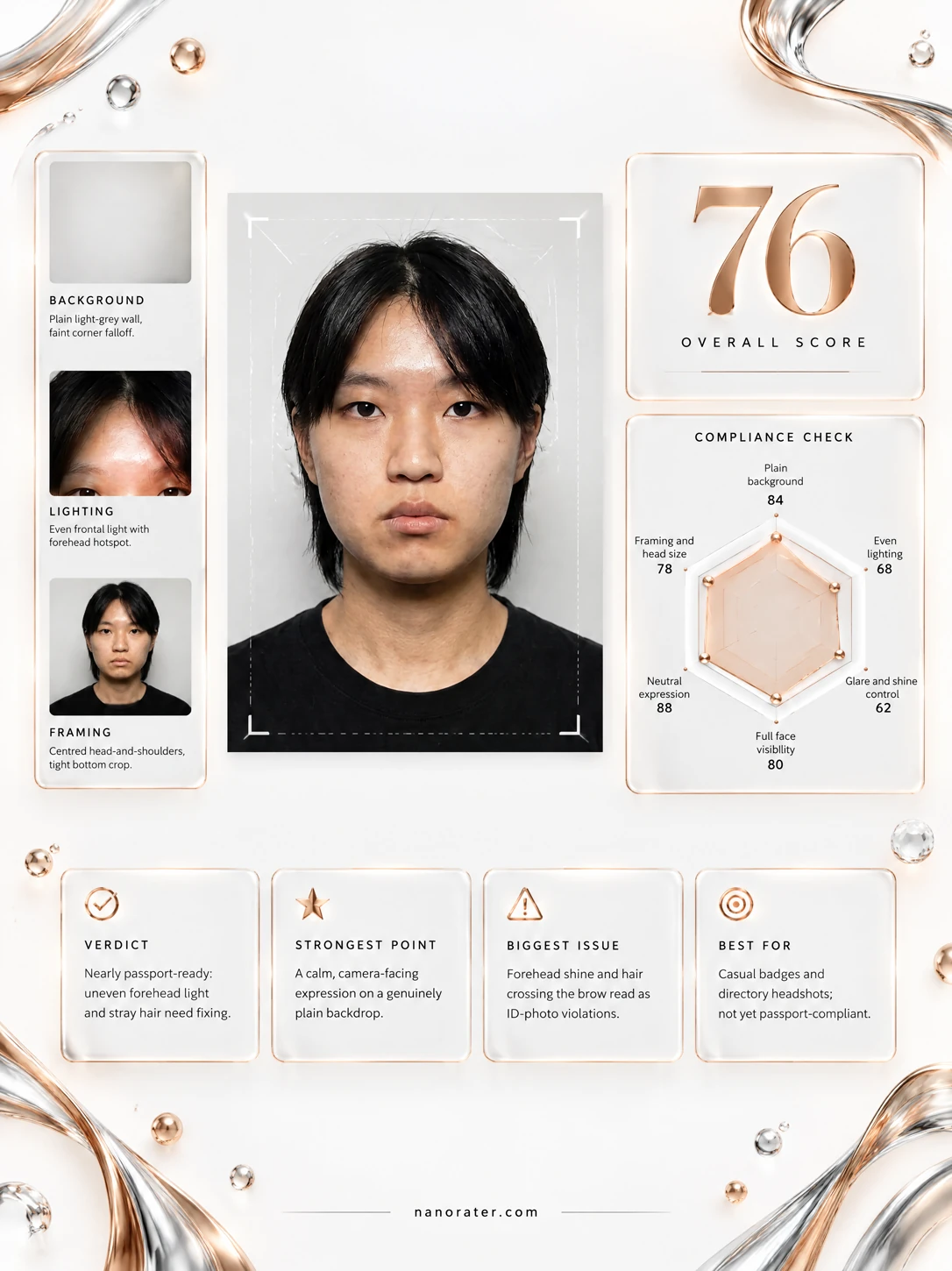
A real report, captured
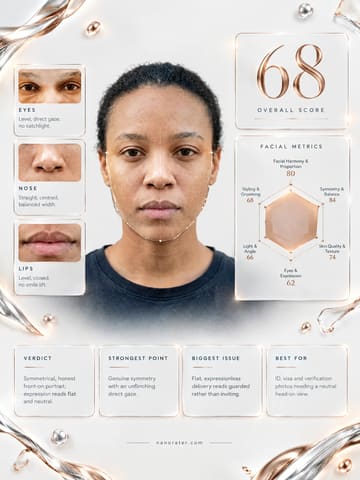
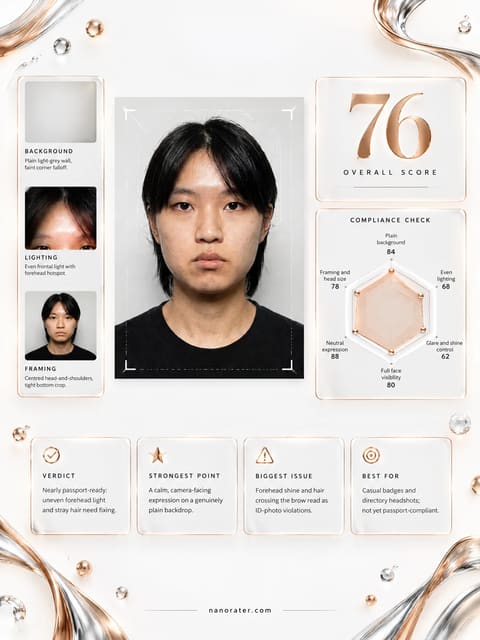
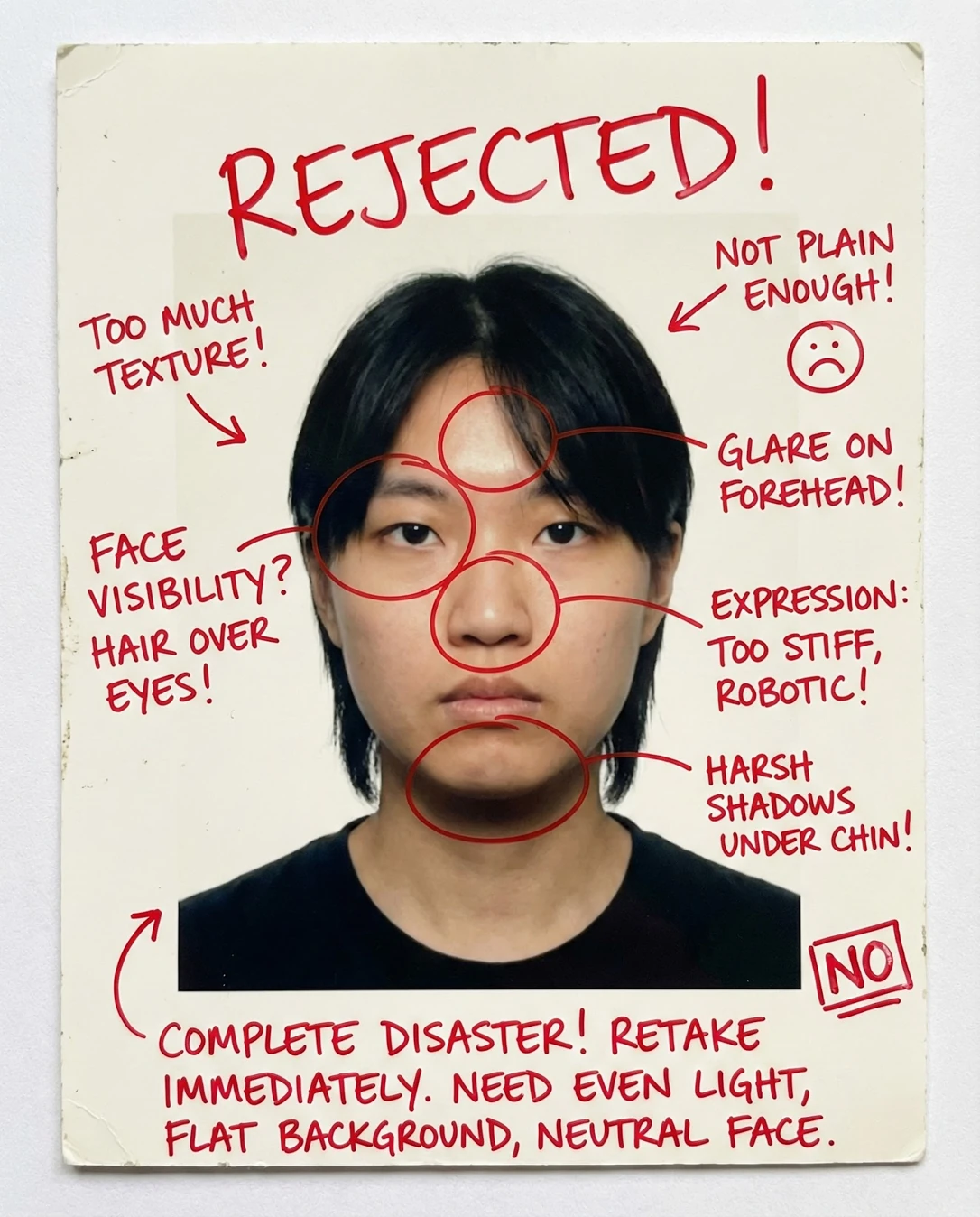
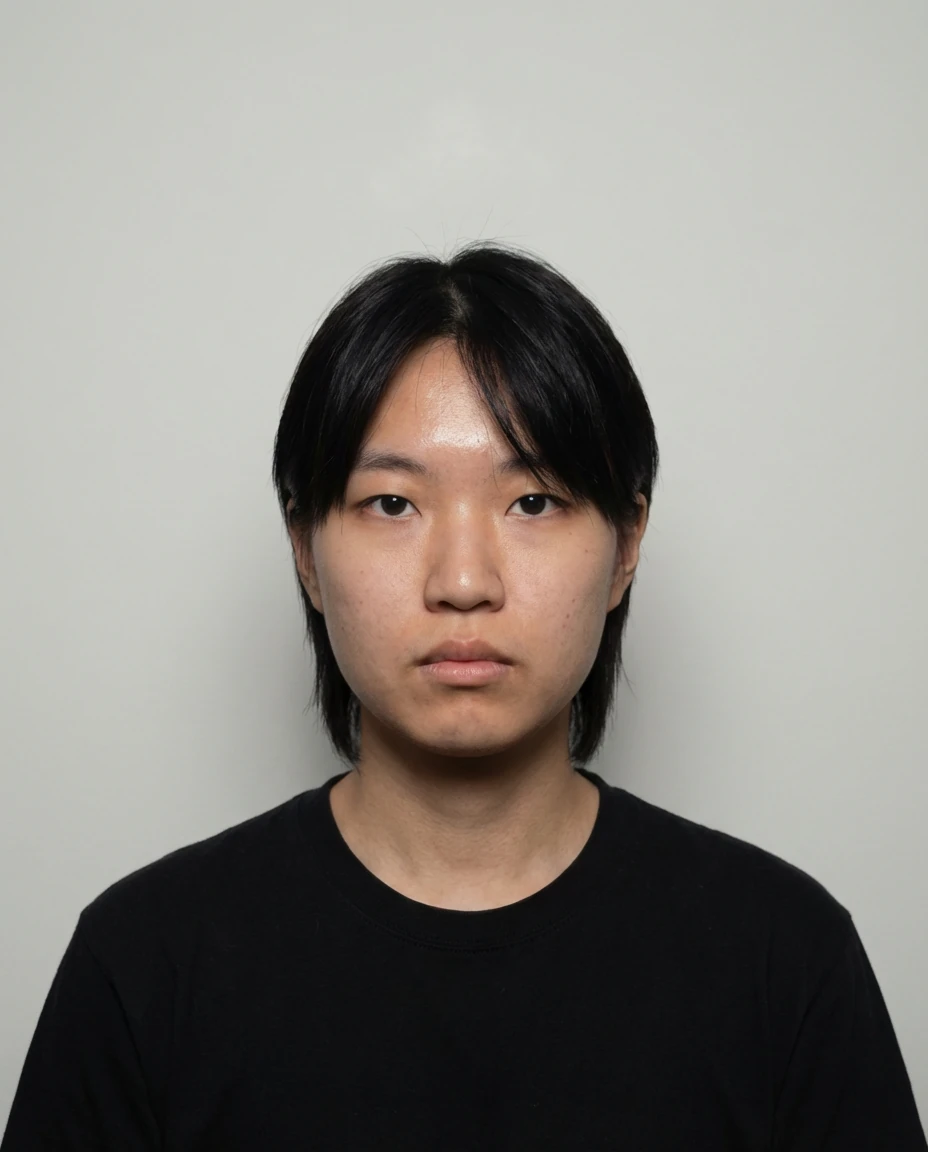
Oh, you've basically nailed the hardest part — square to the lens, chin level, eyes straight into the camera, mouth settled into that perfect calm-official neutral. It reads like a passport photo already. What's holding it back is tiny: a bright kiss of shine on your forehead and nose bridge, and a backdrop that goes a touch gray in the corners. Fix those two and this would sail through the window without a second glance.
Where this photo works
This is squarely a document photograph, and it works beautifully for that: passport, visa, national ID, driver's licence, work badge, any application portal that wants you front-on, plain background, no drama. It does not work for anything social — a chat avatar, a dating profile, a LinkedIn header — where the flat neutral expression and warehouse-plain wall read as stiff and distant. Keep it in your documents folder; don't post it.
Quickest fixes
- Press a tissue or a light dusting of translucent matte powder over the forehead, nose bridge and cheekbones
- Sweep the stray strand of hair behind the ear so both eyebrows and the full forehead line are clear
- Step about a half-metre further from the wall so the background gradient flattens out
Retake plan
- 1.Find a plain white or off-white wall with no frames, sockets or door edges in frame, and stand roughly one metre away from it to kill corner falloff.
- 2.Set two soft lights — a window plus a lamp, or a large diffused panel — at roughly 45 degrees either side of the camera at eye height, so the face is lit frontally with no cast shadow on the wall.
- 3.Mount the camera or phone at your exact eye level on a tripod or stack of books; do not shoot down or up, since either introduces perspective distortion.
- 4.Frame so your chin-to-crown head height fills the upper half of the accepted range, centred left-to-right with equal headroom above the crown.
- Document compliance82
Front-facing full face, both eyes open and visible, mouth closed in a neutral set, plain light background, no eyewear or headwear obstruction in the central face area.
- Clarity and focus86
Eye detail resolves cleanly with visible lashes and iris definition, skin texture and pores are legible at the cheeks, and there is only mild softening along the hair perimeter.
- Even lighting76
The source sits frontally and high enough to avoid hard cast shadows under the jaw or nose, but it produces specular hotspots on the forehead and nasal bridge and mild falloff toward the frame edges.
- Neutral expression90
Lips are closed and level without a smile or tension, the brow is relaxed, and the gaze is direct and level into the lens with both eyes fully open.
- Framing and head size74
The subject is centred, front-facing, and the eye line sits just above frame centre; the head occupies roughly half of the image height, leaving generous headroom and a wide chest crop.
- Background plainness78
The wall is plain and light with no objects, patterns or cast head shadow, but a visible tonal gradient darkens the upper corners and the left edge.
- Unobstructed face80
Both eyes and both brows are visible with ears partially showing, but a section of hair sweeps across the right forehead and grazes the brow line.
- Color and white balance84
Skin tones read natural with a very slight warm cast, while the backdrop settles into a cool neutral gray; the two temperatures sit a touch apart.
- Presentation and grooming82
Hair is neat and controlled with a clean centre part, skin is otherwise clear, and the plain black crew-neck keeps the frame free of logos, patterns and jewellery.
What works
- Camera held at eye level, subject square to the lens
The face is front-facing with both eyes and both brows visible and the eye line just above frame centre, so there is no perspective distortion or upward nose foreshortening.
- Textbook neutral expression with a direct gaze
Lips closed and level, brow relaxed, both eyes open and looking straight into the lens — the expression an authority wants to see.
What holds it back
- Reflective hotspots on the T-zone
A broad specular highlight sits across the upper forehead and the nasal bridge, with smaller hot spots at the cheekbones.
- Hair crossing the forehead and right brow line
A strand of hair sweeps across the right side of the forehead and grazes the brow, partially interrupting the facial outline.