
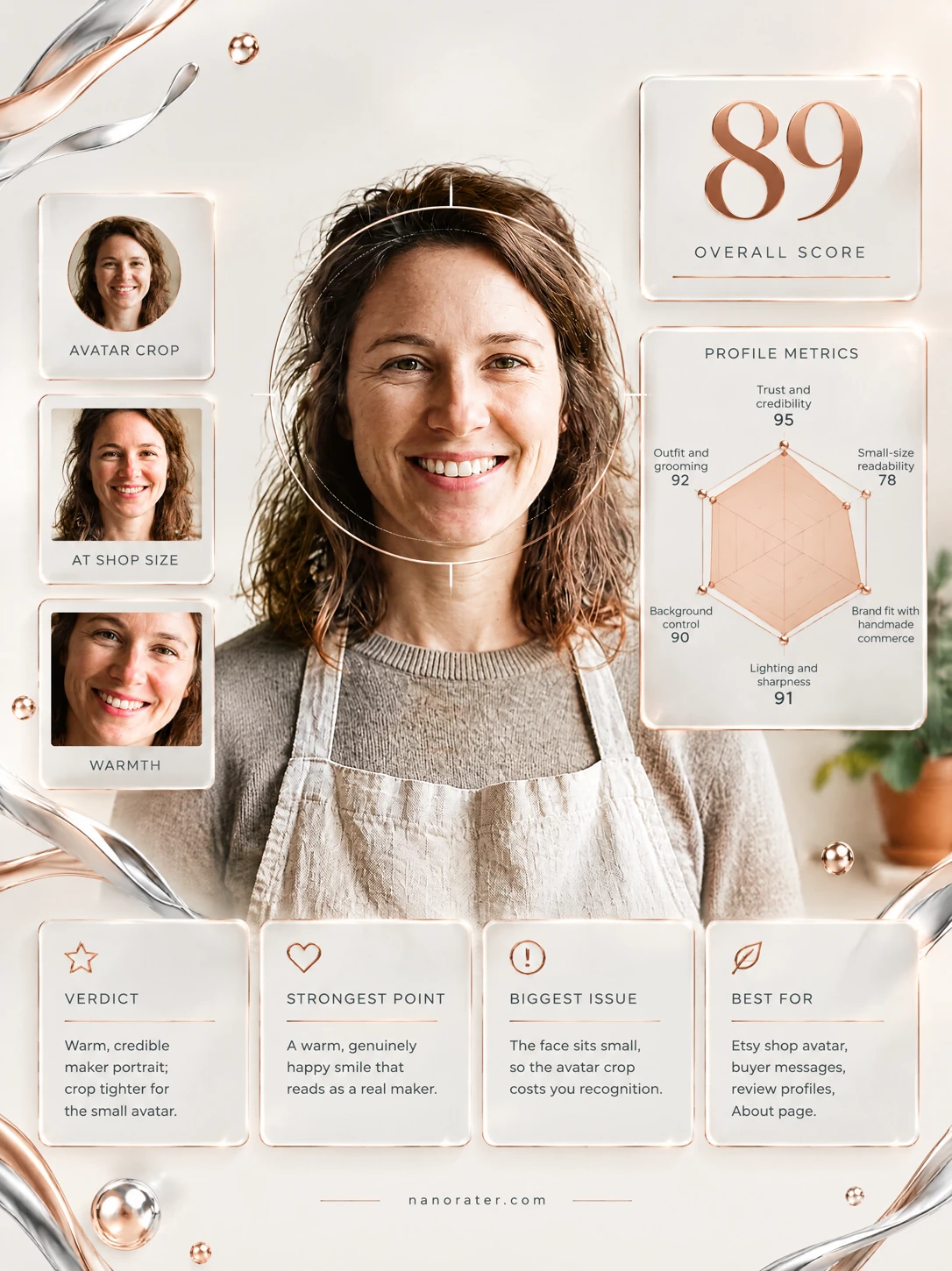
A real report, captured
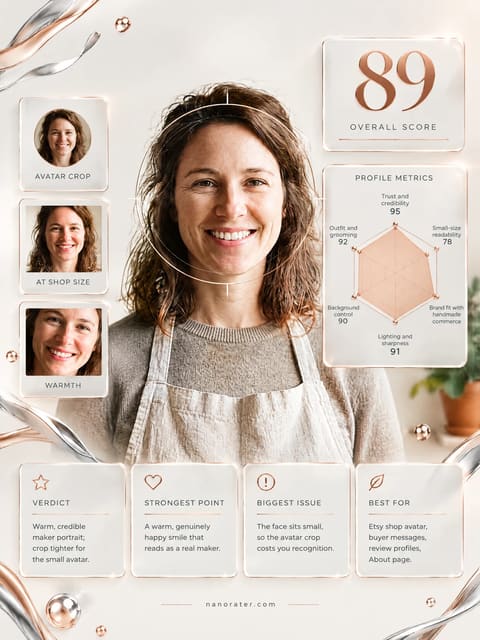
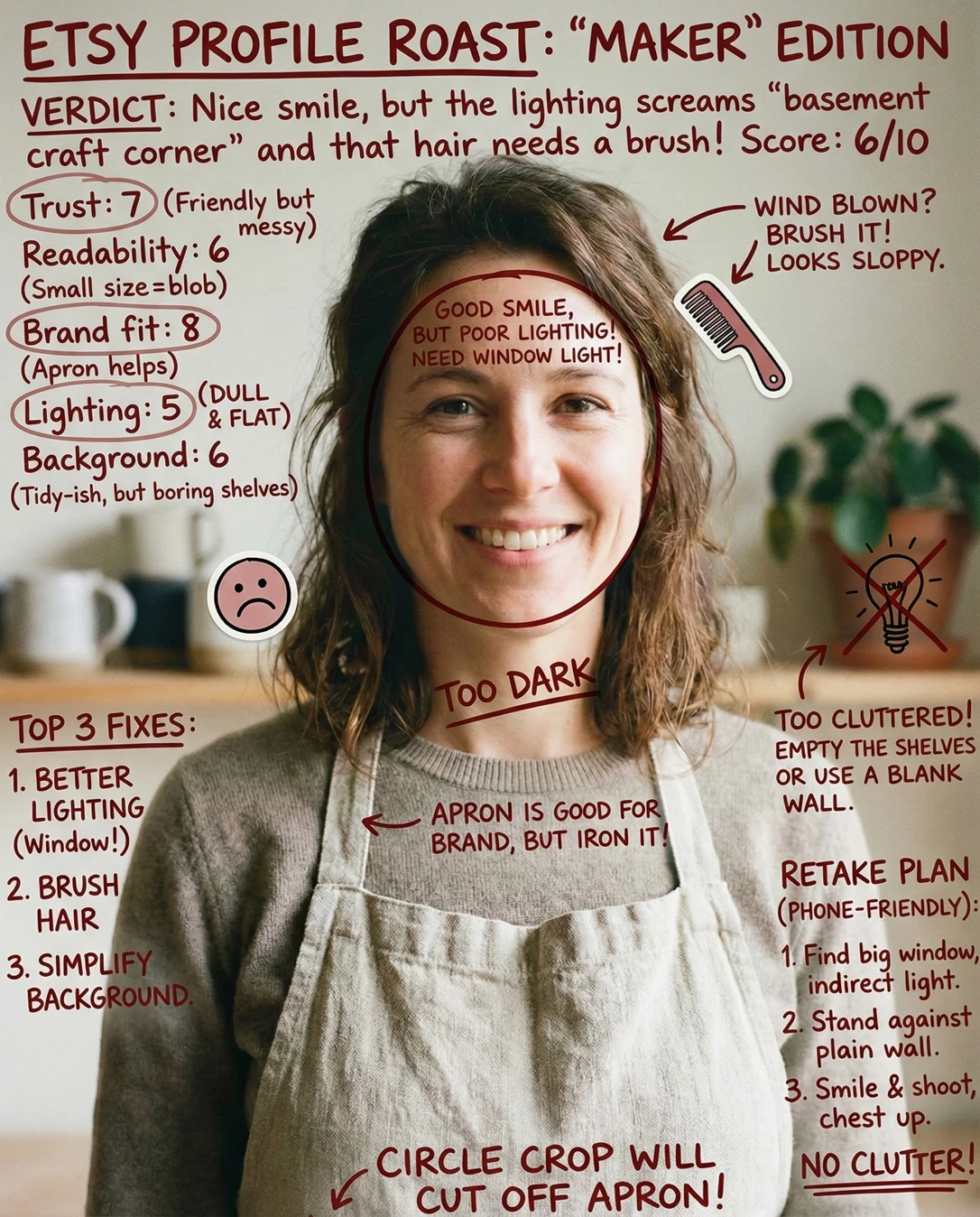
This is the warm, apron-on, real-maker shot Etsy buyers trust on sight — the only thing standing between it and perfect is that your lovely face is sitting a bit far back in the frame for a tiny circle.
Where this photo works
Excellent for your About page, shop story and buyer message threads where there is room to breathe — the linen apron, neutral palette and direct smile read instantly as real, credible and handmade. It works only moderately as the small circular avatar on shop pages and review cards: at thumbnail size the mugs and plant beside your head compete for attention and the face itself shrinks to a few pixels. Faces bigger, background quieter — then it wins everywhere.
Quickest fixes
- Square-crop so the crown nearly touches the top edge and the chin sits a third up from the bottom
- Centre the crop on the eyes so the circular mask never trims the mouth or hairline
- Lift contrast and clarity slightly so the face separates from the near-value wall
Retake plan
- 1.Stand about one arm's length from a window at roughly 45 degrees to the glass, phone at eye level (prop it on a shelf or use the timer) and frame from mid-chest up so your head already fills two-thirds of the height.
- 2.Step away from the wall to about 1.5 metres so the shelf and mugs fall soft behind you and slightly below your shoulder line — one prop maximum, offset to one side, never directly behind your head.
- 3.Square your shoulders to the lens, tuck your chin a millimetre, lean very slightly toward the camera and smile as if greeting a returning customer; take ten frames and keep the one where the eyes are brightest.
- 4.Leave deliberate empty wall above your crown and beyond both ears so any circular mask trims clean background, not objects.
- Trust & authenticity92
Front-on eye contact, a natural full smile with visible teeth, relaxed shoulders and an apron worn as working clothes rather than costume. Nothing about the pose reads performed.
- Small-size readability62
Given standard framing with the eye level above centre, the head fills only about 40-45% of frame height, so in a 32px circle the face occupies roughly 12-14px and facial features blur into a soft warm patch.
- Brand fit94
Oatmeal linen apron, greige knit, cream wall, terracotta pot, sage foliage and stacked stoneware mugs — a coherent handmade-ceramics story told entirely by wardrobe and props.
- Lighting quality88
Soft front light with even coverage across the forehead and both cheeks, gentle falloff at the jaw, no harsh specular hotspots and no colour cast; catchlights sit high and symmetrical in both eyes.
- Background control74
The shelf line crosses just above the shoulders and the mugs and terracotta pot sit at jaw height close to the head silhouette; while tidy, these mid-frequency shapes compete with the face during the circular crop.
- Composition & framing78
Subject centred with the eye level above centre per the measurements and clean symmetrical balance, but the torso occupies most of the lower half, leaving the face a modest share of the total area.
- Presence & confidence93
Direct gaze, slightly lifted chin, unforced smile with crinkled lower eyelids — an expression that reads as approachable and unhurried rather than posed for a marketplace.
- Wardrobe & grooming90
Knit and apron sit neatly on the shoulders, hair is styled with deliberate texture rather than left flat, and there is no visible lint, creasing or loose thread on the linen.
- Technical sharpness86
Focus sits on the near eye and mouth with credible micro-detail in the lashes and teeth; background separation via shallow depth of field is present but modest at the shelf.
- Crop flexibility70
Centred composition survives a square crop, but the generous headroom and the shelf detail mean a circular mask cuts through the mugs and the plant rather than through empty wall.
What works
- Immediate, unforced eye contact
Gaze is directed straight into the lens from a front-facing angle with both eyes and brows visible, creating the sense of being greeted rather than photographed.
- Apron does the storytelling for you
A neutral linen apron over a knit sweater communicates 'maker' without text, props or a caption.
What holds it back
- Head reads small inside the avatar circle
The face occupies roughly 40-45% of frame height, so a 32px avatar renders your features as a soft warm shape rather than a recognisable person.
- Shelf objects crowd the head silhouette
Mugs and a terracotta pot sit at jaw height directly beside the face, and a circular mask cuts through them.