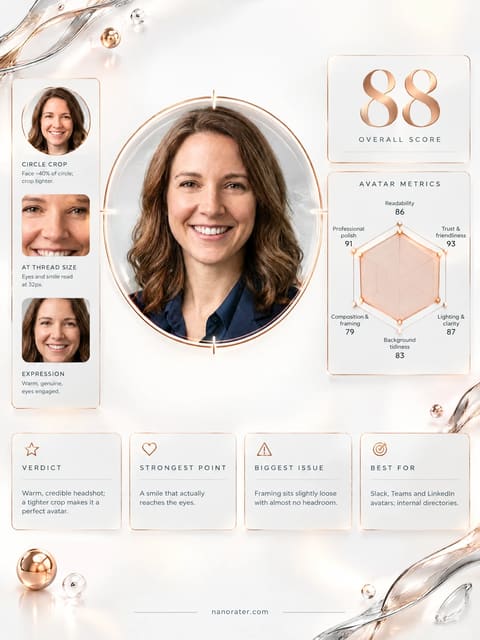
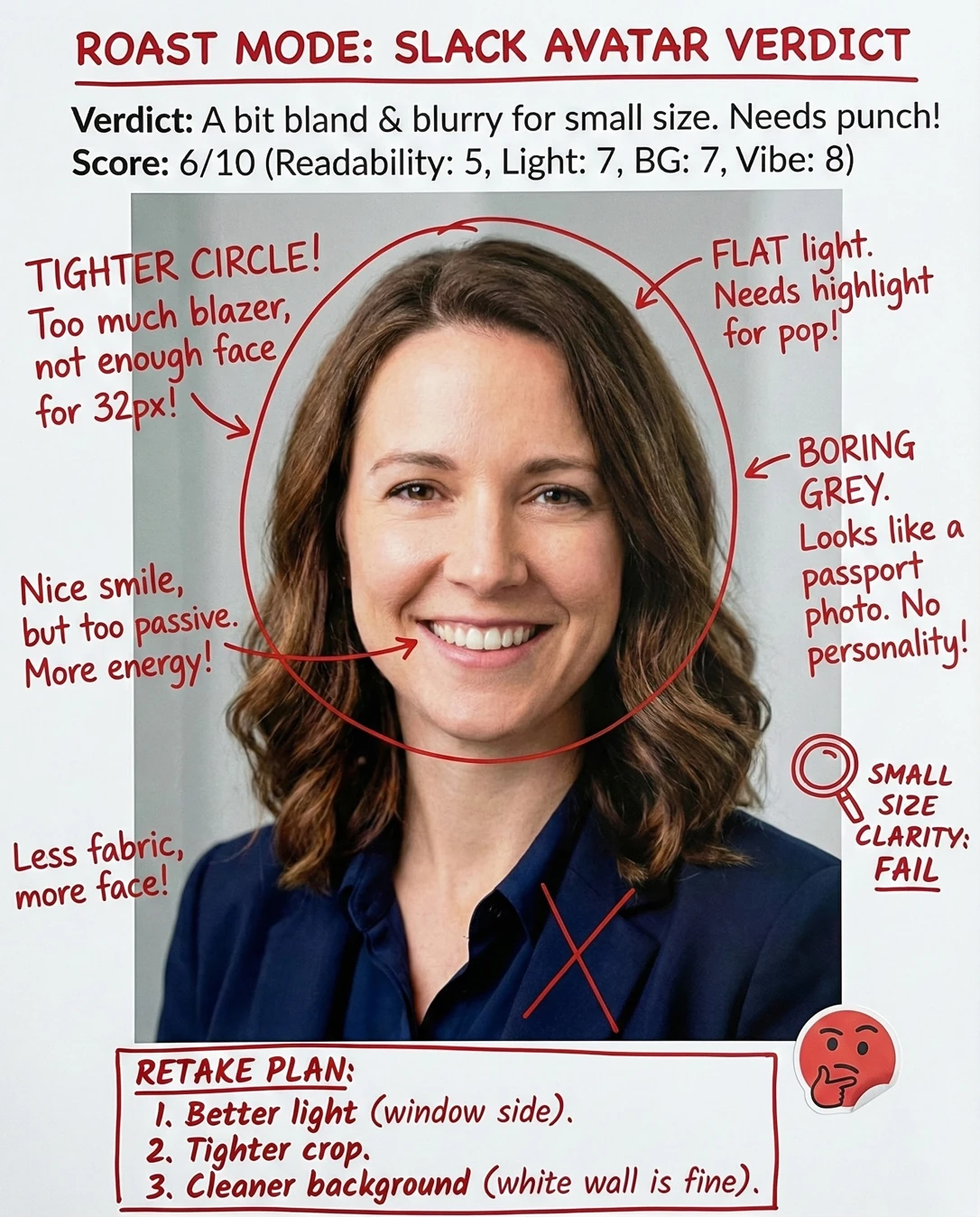

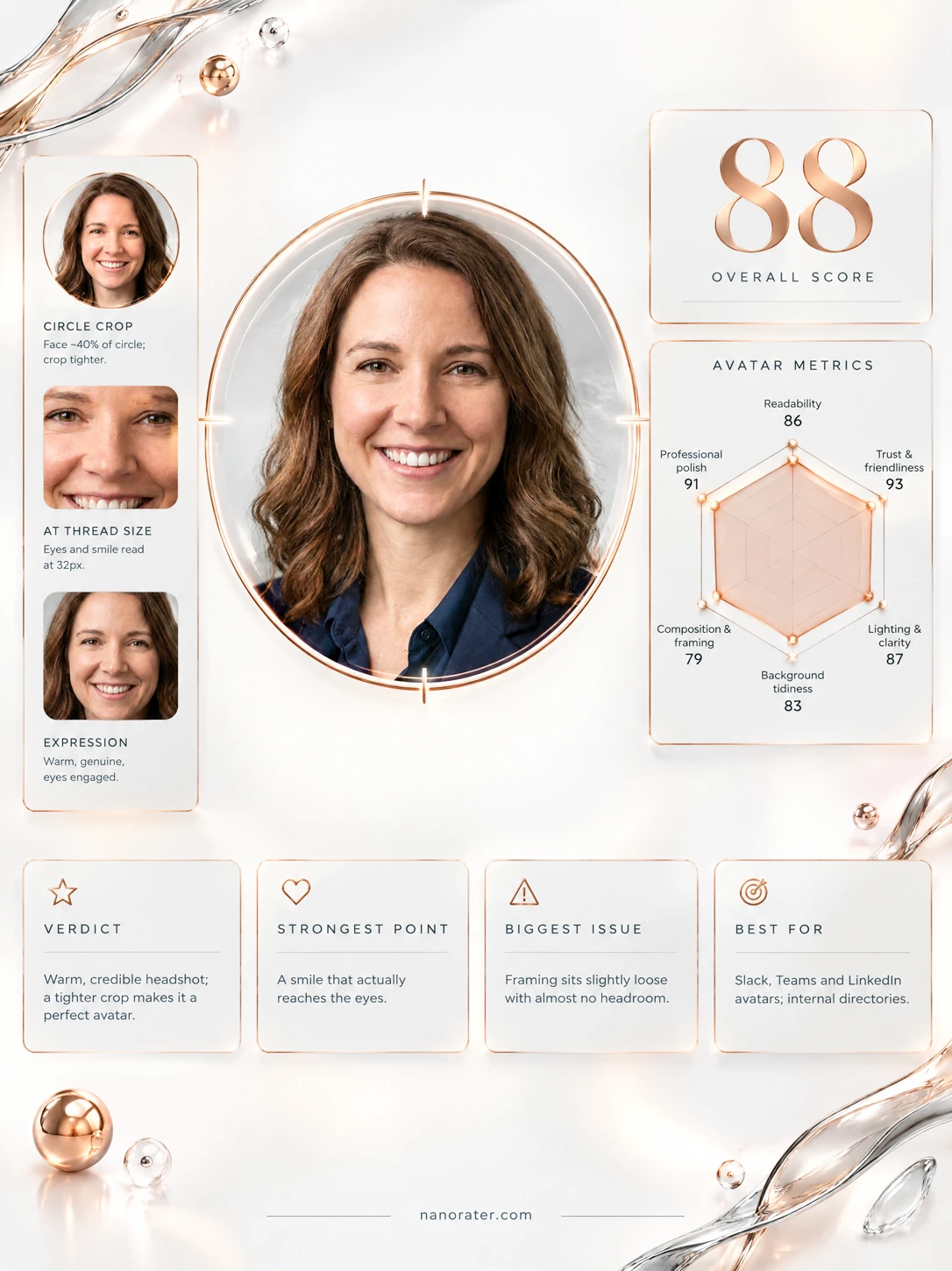
A real report, captured
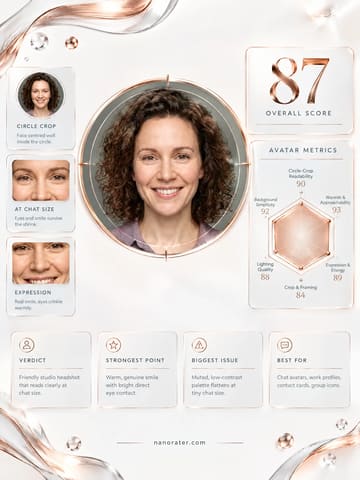
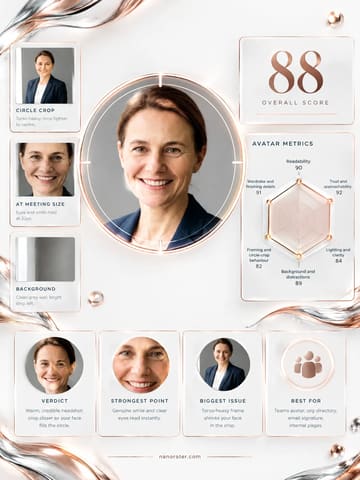
Well, hello there — this is the headshot that walks into the room already smiling. You're lit clean from the front, you're looking straight at the lens like you actually like the person behind it, and that navy-on-pale-grey sandwich makes your face pop the instant it shrinks to a little circle in a thread. Genuinely excellent, and only a whisker of air at the top keeps it from being jaw-dropping.
Where this photo works
It's a near-perfect fit for Slack, Teams, Outlook, an org chart, a conference speaker tile, or a client-facing signature — anywhere a small circle needs to say 'competent and kind' in one glance. It's also strong on LinkedIn and in a company directory. It is a touch formal for a very playful, meme-heavy startup workspace or an informal community server, where a slightly looser, warmer frame might read less 'annual report' and more 'human on the other end of the ping' — that's a tone question, not a quality one.
Quickest fixes
- Re-crop to add roughly one hair-width of headroom above the crown and re-centre on the eye line
- Lift shadow detail in the navy blazer and shirt so the collar and lapel stay distinct at small sizes
- Export a square version sized for circle cropping and preview it at 32px, 48px and 96px before uploading
Retake plan
- 1.Shoot outside the peak midday hours using a window as the key light, positioned directly in front of the subject, or use a large diffused frontal source if a studio is available.
- 2.Stand roughly 1.5 to 2 metres back and use a slightly longer focal length so the framing lands at head-and-shoulders without perspective compression on the face.
- 3.Leave clear space above the crown and below the chin in camera rather than relying on a later crop; target the eye line sitting above the vertical midpoint of the frame.
- 4.Keep the existing navy suiting and the plain light grey backdrop, and angle the subject very slightly off the wall to avoid any cast shadow behind the head.
- Readability at Small Size90
Both eyes, the brow line and the smile are legible in a single glance; the pale background against dark hair and dark suiting creates a clear silhouette that survives shrinkage to 32px.
- Lighting & Clarity88
Soft frontal key with symmetrical falloff across both cheeks, catchlights in both irises, gentle shadow under the jaw, no blown highlights on the forehead and no hotspot on the nose.
- Background Tidiness87
A plain light grey wall with a soft vertical tonal transition, entirely free of clutter, furniture or competing detail; it sits behind the head with no intersecting edges.
- Professional Vibe92
Navy blazer with a matching collared shirt reads as deliberate, senior and approachable at once; the notch and collar are clean and the shoulders sit squarely, giving a composed, workplace-credible register.
- Composition & Framing86
Subject is centred with the eye line above the vertical midpoint and the chin clear of the bottom edge, but the crown of the hair approaches the top boundary closely and the shoulders are cut abruptly, slightly compressing the head within the frame.
- Authenticity & Skin Rendering90
Natural skin texture with visible fine lines around the eyes, unretouched laugh lines, and honest hair detail at the parting and ends; no obvious smoothing, filter or reshaping artifacts.
- Presence & Confidence91
Direct frontal gaze into the lens, level chin, squared shoulders and a full engaged smile with cheek elevation — the posture reads as open, unguarded and self-assured.
- Tonal Separation & Palette85
Warm mid-brown hair and warm skin undertones sit against a cool light grey field, and the dark navy suiting supplies a strong value anchor, though the blazer and shirt are close enough in value that they merge at small sizes.
- Trust & Credibility91
Even illumination, unforced expression, tidy grooming and uncluttered setting combine into a presentation that reads as reliable and reachable rather than guarded or intimidating.
What works
- Even frontal key with genuine catchlights
Light falls symmetrically across the face with visible highlights in both eyes and no harsh chin or nose shadow.
- Wardrobe that separates cleanly from the backdrop
Dark navy blazer and collared shirt sit against a light grey wall, producing a strong value contrast that keeps the silhouette crisp at small sizes.
What holds it back
- Headroom is minimal at the top edge
The crown of the hair sits very near the upper frame boundary, crowding the head within the composition.
- Blazer and shirt merge tonally at small sizes
The navy garments are close in value, so their edges collapse into a single dark mass when the image is reduced and viewed on a dark UI.