
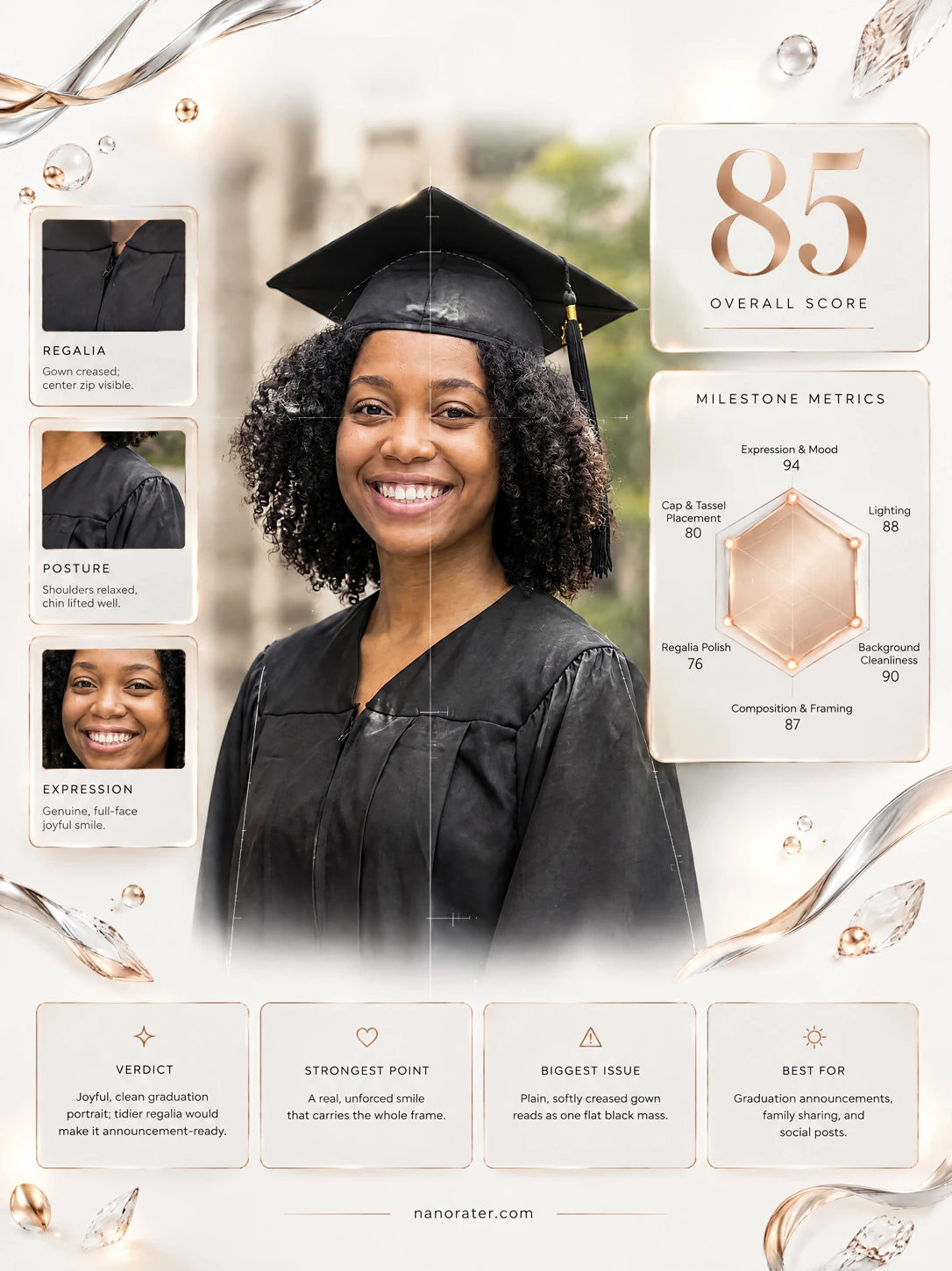
A real report, captured
Oh, this is the one — that smile could carry an entire announcement card, and the campus behind you is doing quiet, elegant backup vocals.
Where this photo works
This is a natural for printed graduation announcements, a framed 5×7 on the mantel, and family email or group-chat sharing — it reads proud, warm and timeless at full size. It also crops cleanly to a square or circle for Instagram and Facebook posts. It is less ideal for a tiny 32px avatar, where the soft stone-and-green background turns to mush and only your face survives, and it is too formal for a casual in-the-moment Story — for those, use a tighter head crop and let the campus blur go.
Quickest fixes
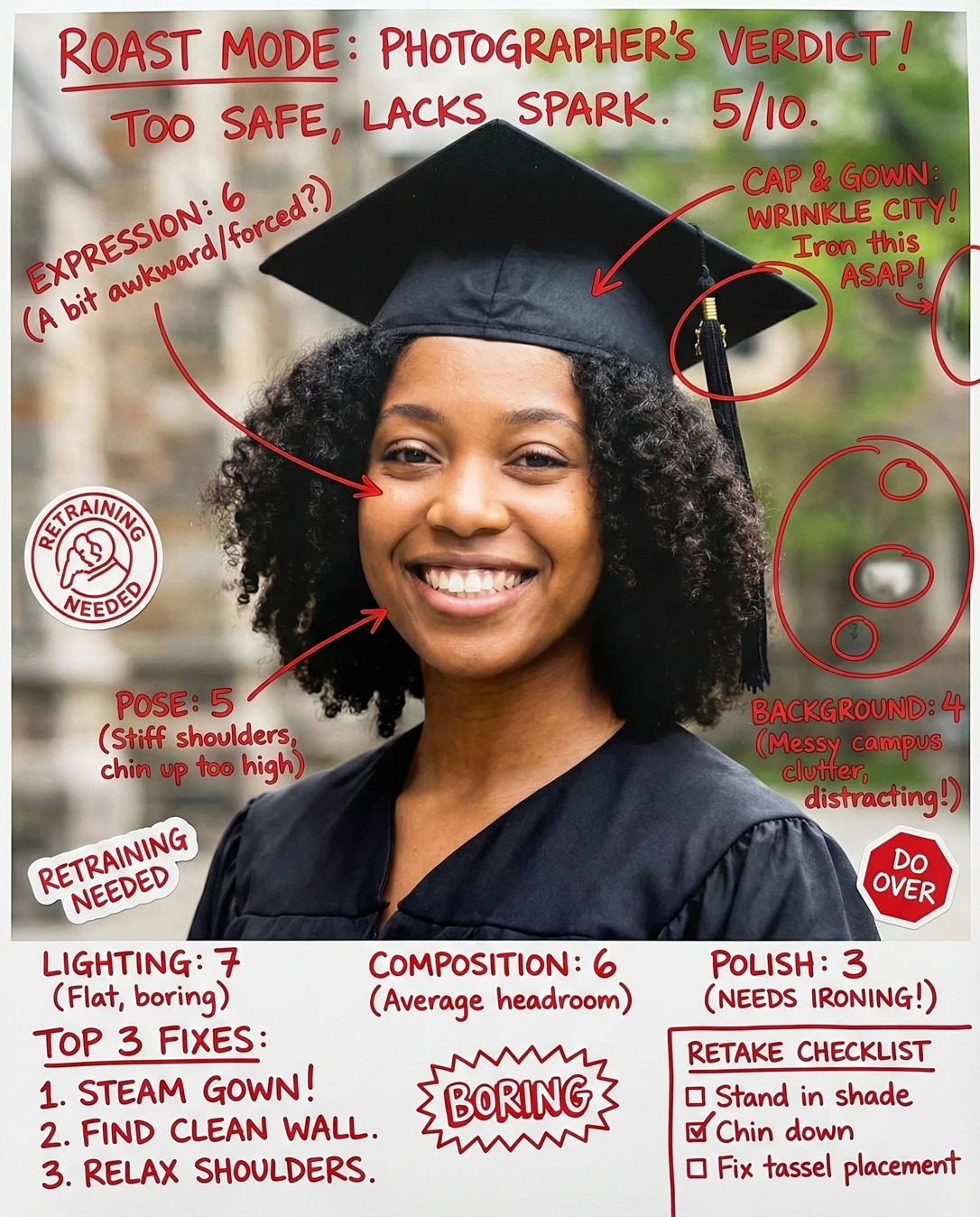
- Steam or hang the gown overnight so the pleats and zipper seam fall flat
- Lift the tassel cord out of the hair and let the gold pin read as one clean diagonal
- Use the heal brush on the gown's zipper seam — thirty seconds, big payoff
Retake plan
- 1.Stand about three metres in front of the blurred stone-and-green backdrop so separation stays identical, or move to a parallel campus walkway with matching architecture.
- 2.Fix the outfit first: steam the gown, hang the cap band flat, pin the zipper placket closed or turned inward, and clear the tassel cord from your hair so the pin sits clean and visible.
- 3.Pose: turn the body about ten degrees off-axis to the camera, rotate only the face back to the lens, roll shoulders back and down, and lift the chin roughly one degree to lengthen the neck.
- 4.Angle the face 30–45 degrees away from the sun so light rakes across the cheek and ask a friend to bounce a white notebook page under your chest as fill.
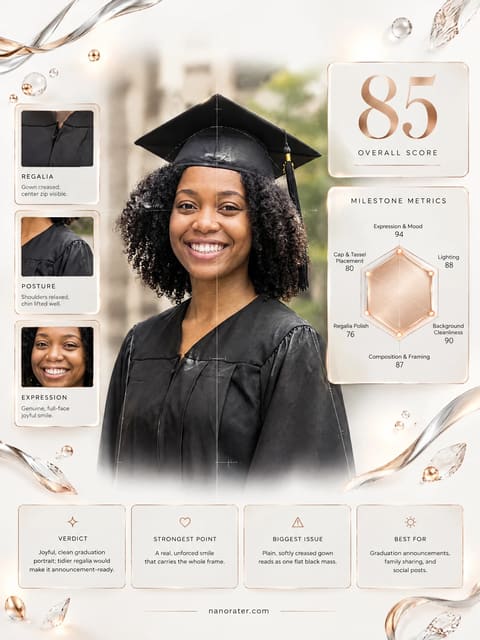
- Expression & mood93
Wide genuine smile with teeth, lifted cheeks and crinkled lower lids; both eyes look directly into the lens and hold contact. The mood reads proud and joyful rather than performative.
- Lighting quality88
Soft directional daylight arrives from the subject's left, modelling the cheekbones with gentle falloff and leaving no blown highlights on the forehead or deep shadow under the chin. Skin retains visible texture and detail.
- Background & setting88
Blurred warm stone masonry on the left and soft spring green foliage on the right give clear campus context with no people, signage, bins or clutter. Depth-of-field separation from the subject is clean and consistent.
- Composition & framing87
Subject is centred with the eye line sitting above the vertical midpoint, standard head-and-shoulders framing to mid-chest, and even headroom above the mortarboard. Neither shoulder is clipped awkwardly.
- Regalia polish78
Cap sits level with the band straight across the forehead; tassel falls to image right with the gold year pin visible near the top. Gown shoulders sit cleanly but a zipper seam bisects the chest and the pleats below the yoke show crush marks.
- Color & skin tone88
Skin tone renders naturally with warm mid-tone depth and no cast from the surrounding green foliage; blacks in the gown are dense but retain fabric detail rather than blocking up. No heavy filter artifacts.
- Pose & posture85
Shoulders sit relaxed and roughly square to the lens with a fractional turn to the subject's right; neck is extended without strain. Hands are out of frame, so no awkwardness there.
- Authenticity & naturalness90
Natural curl pattern is unstyled and unflattened by product or flash, expression is spontaneous-looking, and the environment is genuinely lived-in campus architecture rather than a composited backdrop.
- Technical sharpness & separation89
Eyes and eyelashes are tack-sharp while the stonework and foliage fall into smooth, natural bokeh; depth-of-field is sufficient to keep the face plane in focus from forehead to chin.
What works
- Expression lands as genuinely proud, not posed
Open smile with visible teeth, engaged eyes and relaxed brow — no stiffness or strained grin.
- Soft directional light flatters without drama
Side light models the cheek with gentle falloff and leaves no blown highlights or black sockets.
What holds it back
- Gown front seam and pleats look slightly crushed
Visible zipper line down the chest centre plus soft fold marks in the pleats and at the left shoulder seam.
- Tassel cord sits close to the hair and crowds the silhouette
The cord drops against the curl volume on the image-right side, softening the edge of the cap against the hair.