
A real report, captured
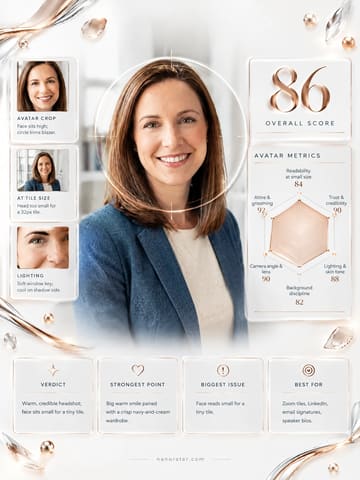
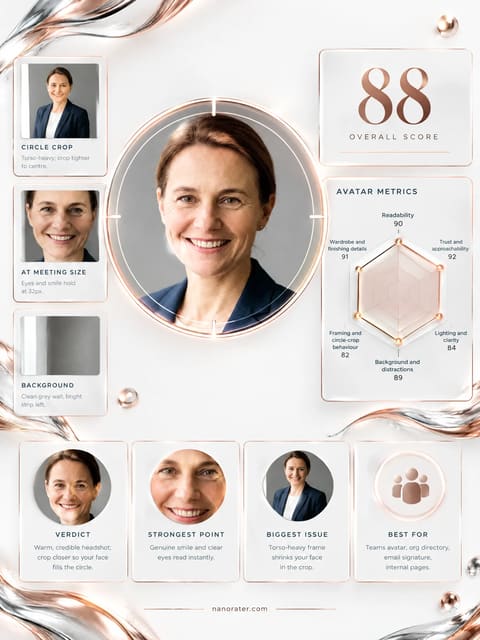
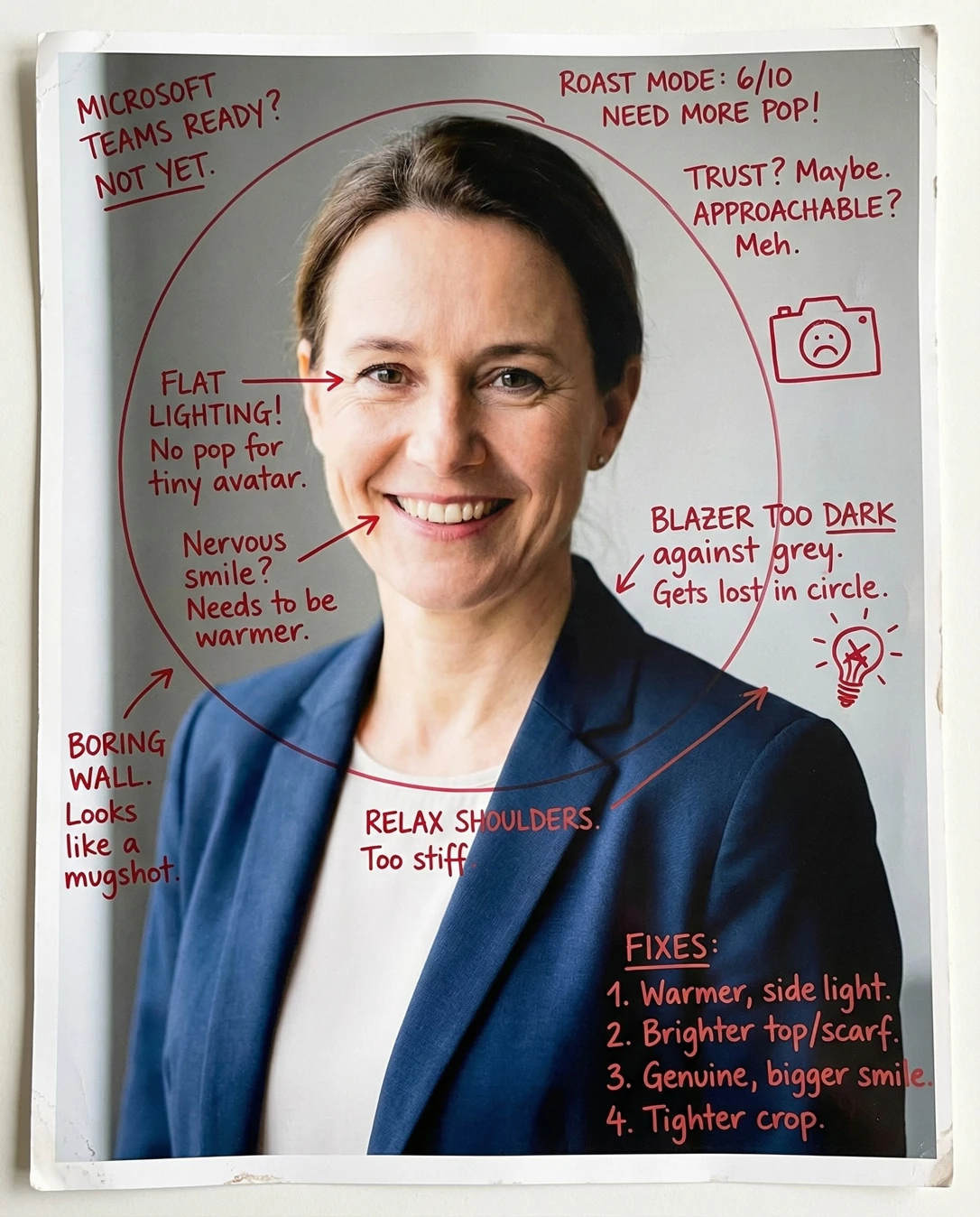
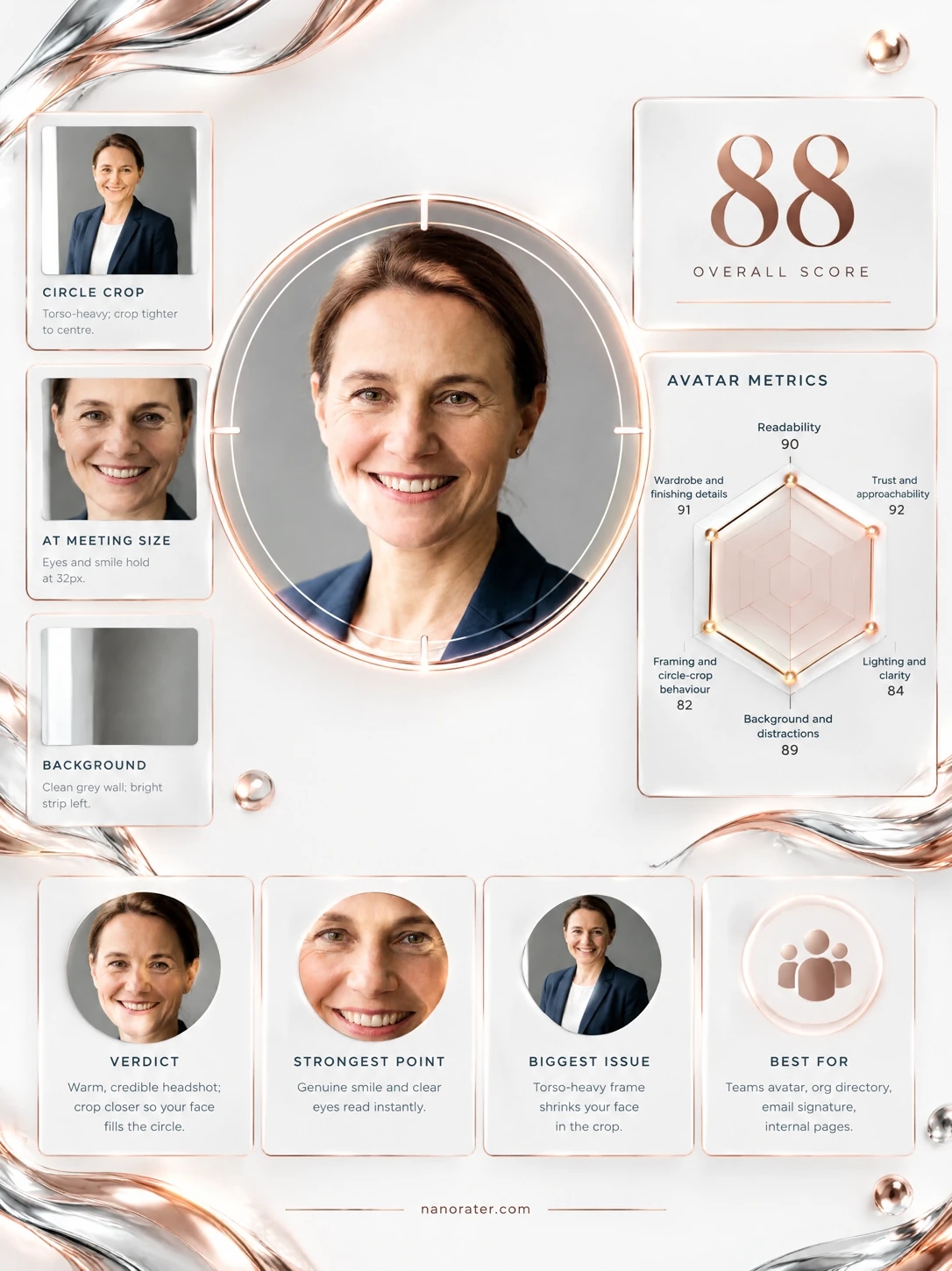
Oh, this is lovely — a warm, unforced smile straight down the lens, soft window light doing all the heavy lifting, and a navy blazer that says 'I've got this' without a single word. It's a real, grown-up headshot with a heartbeat, and I'd only nudge it tighter so that wonderful face stays king of the circle.
Where this photo works
This is a bullseye for the surfaces that want credibility: the org directory, a LinkedIn or résumé header, an email signature, a conference speaker bio, a panel or webinar tile. It also reads beautifully on both light and dark Teams UI because the navy-and-cream wardrobe sits against a plain grey wall with no colour clash. Where it loses a step is the tiniest surface — at 32px in a crowded chat list the face is small inside all that blazer and torso, so it whispers where a tighter crop would shout. It is not a casual selfie, and it shouldn't try to be.
Quickest fixes
- Crop to a square head-and-shoulders, top of hair near the top edge, collarbone at the bottom.
- Slide the face up so the eyes sit on the upper third line of the square.
- Remove or darken the bright vertical edge on the left side of the frame.
Retake plan
- 1.Stand about one metre from a plain wall — mid-grey, warm white or soft beige — with nothing hung on it and no doorframe in shot.
- 2.Turn to face a window at roughly 45 degrees so the light wraps the face from one side; never stand with the window behind you.
- 3.Switch your phone to the 2x lens and have someone hold it at your eye level, about 1.5–2 metres away, so the face isn't distorted at close range.
- 4.Shoot head-and-shoulders: top of hair just inside the top of frame, collarbone at the bottom, eyes on the upper third.
- Small-size recognizability78
Eyes, brow line and smile are all cleanly resolved at full size, but the head occupies only about a third of the frame height, and the large navy torso mass below pulls visual weight downward in a circular crop.
- Trust and approachability93
Genuine, eye-crinkling smile, chin level rather than dropped, shoulders relaxed and turned a few degrees off-axis, hands out of frame — the posture of someone calm and open, not braced.
- Lighting and clarity91
Soft directional key from camera-left produces gentle modelling on the cheekbone and nose bridge, a clean catchlight in each eye, no blown highlights on the forehead, and only mild, flattering shadow under the chin.
- Background and distraction control80
A plain mid-grey wall gives good separation from the navy blazer, but a bright vertical band (door or window reveal) runs along the left edge and reads as a light stripe inside a circular crop.
- Framing and crop76
Full head visible with comfortable headroom, but the bottom edge severs the blazer mid-torso and the composition is wider than a head-and-shoulders portrait calls for; the eyes sit slightly below the upper third line.
- Eye contact and presence90
Gaze is direct and sustained at approximately lens height, head three-quarter to camera with both eyes visible, giving engagement without the flattened stare of a passport shot.
- Wardrobe and professionalism92
Structured navy blazer over a plain cream crew neck; matte fabric with no sheen or busy pattern, neckline framing the collarbone cleanly and reading as polished rather than corporate-stiff.
- Authenticity and currency88
Natural skin texture with visible fine lines retained, no heavy smoothing or filter artefacts, hair worn back simply, small stud earring — it reads as how the subject actually looks today.
- Light and dark UI legibility84
Mid-grey background and navy shoulders hold separation on both light and dark Teams surfaces; the cream top gives a bright anchor at the centre of the circle.
- Sharpness and technical quality90
Eyes and lashes are crisply resolved, hair strands defined, no motion blur or visible noise; the wall falls very slightly soft, indicating a moderately shallow depth of field that separates subject from background well.
What works
- A smile that actually reaches the eyes
Cheekbone lift, visible upper teeth, and fine crinkling at the outer corners of both eyes — a real smile rather than a held pose.
- Soft directional window light with clean catchlights
Key from camera-left, gentle falloff across the face, specular highlight in each iris, no clipped highlights on forehead or nose.
What holds it back
- Subject scale too small for a tiny avatar
Head occupies roughly the upper third of the frame; the lower half is blazer and torso, so a 32px circle devotes most of its pixels to clothing.
- Bright vertical band on the left edge
A pale door or window reveal runs the height of the left margin, brighter than the surrounding wall, and will sit inside the circle crop.