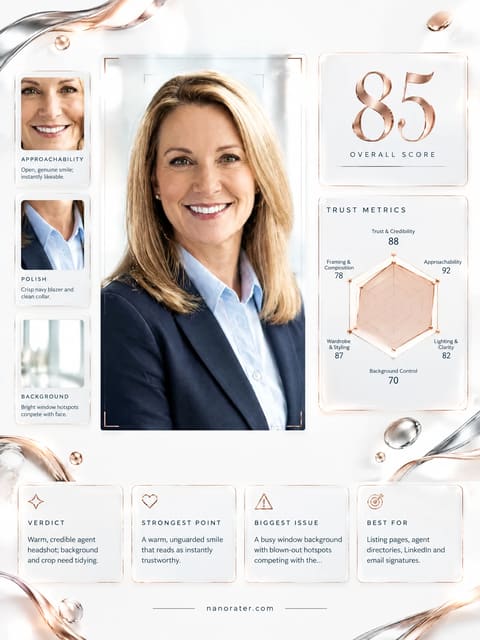
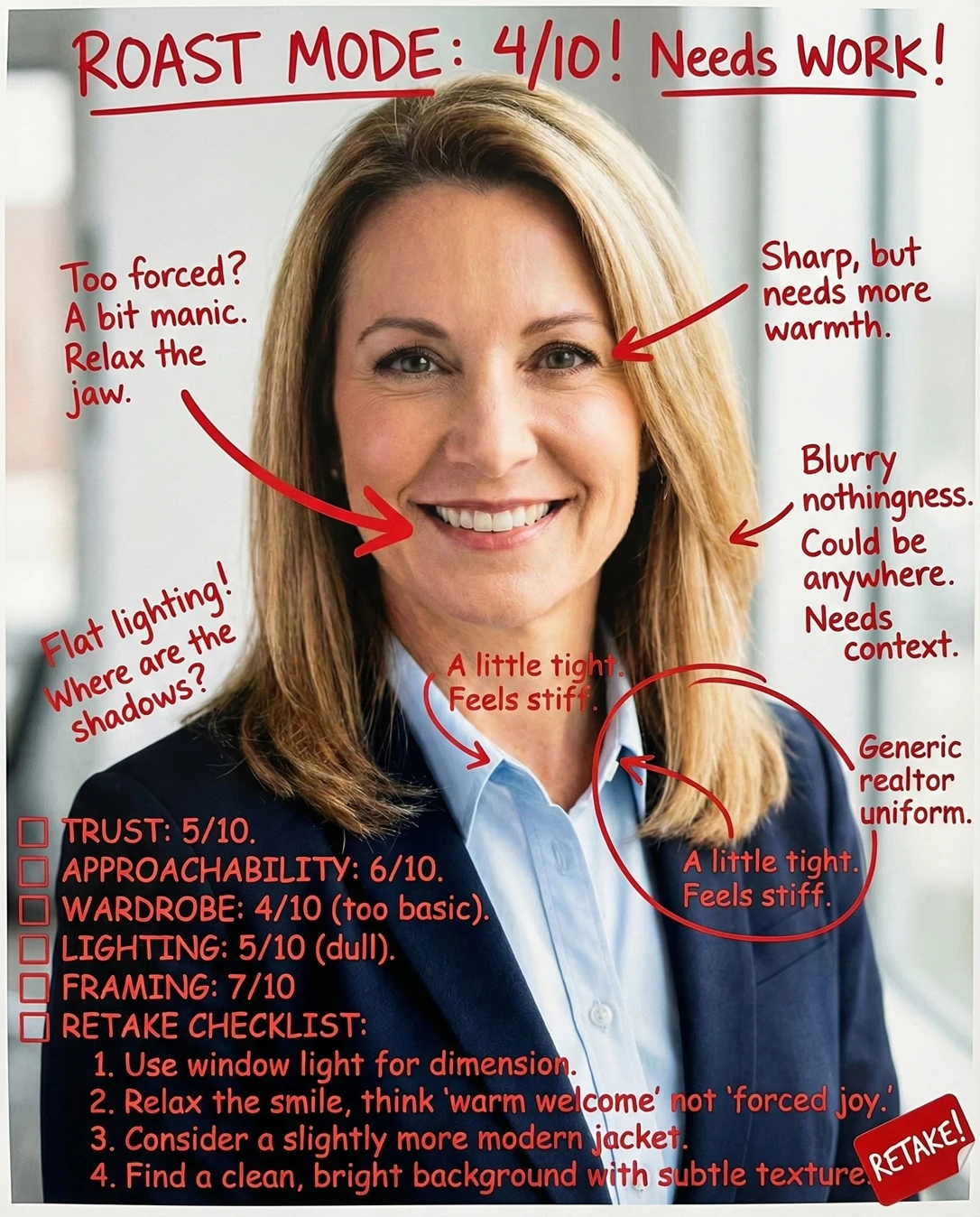

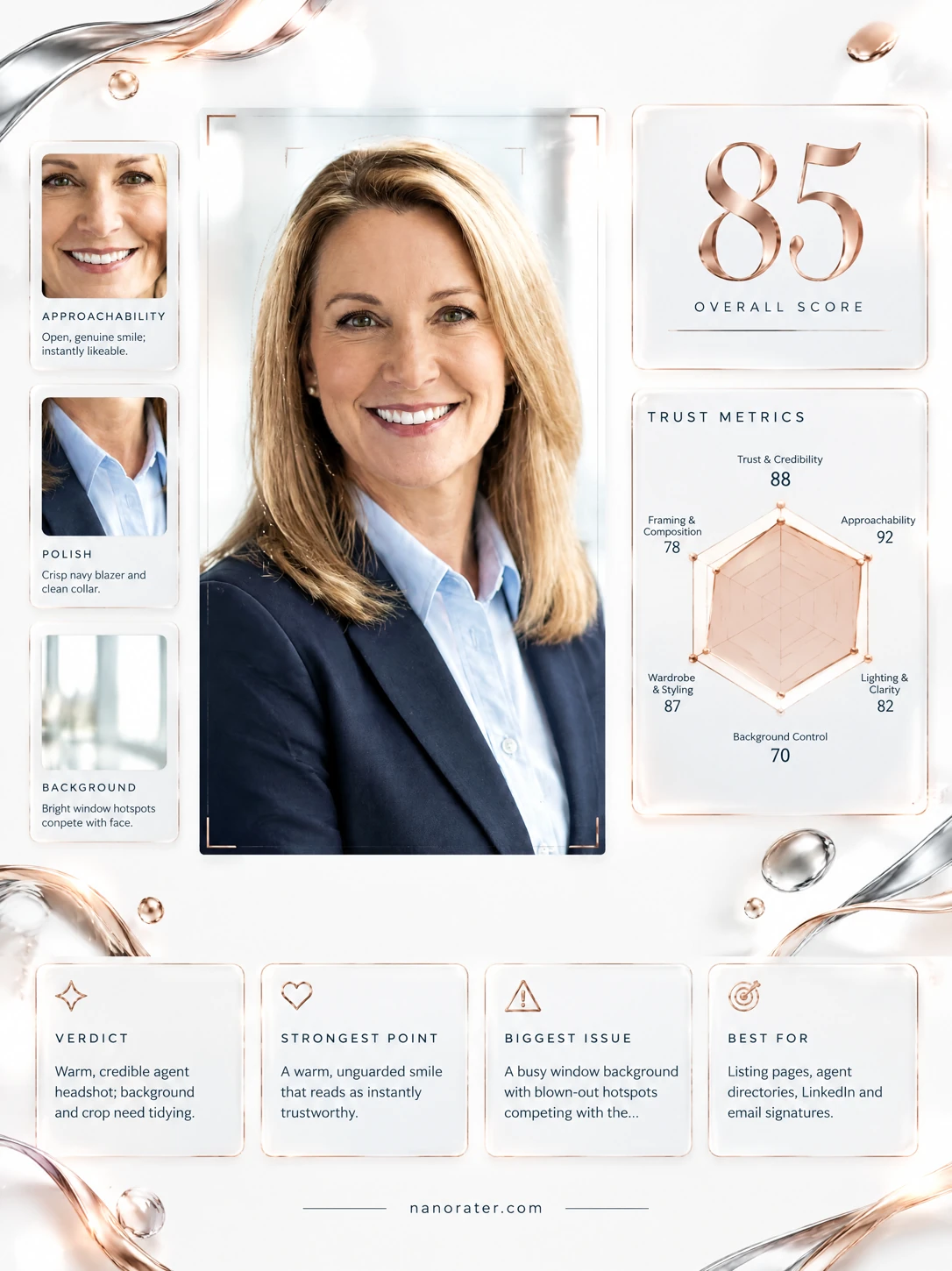
A real report, captured
Oh, this one lands — that genuine, crinkle-at-the-eyes smile plus a crisp navy-and-blue palette says 'I answer my phone and I know my market' without one ounce of stiffness.
Where this photo works
Built for exactly this job: listing pages, agent bios, directory tiles, email signatures and LinkedIn — anywhere a client scans a face and decides in half a second whether to call. It also holds up as a small circular avatar because the face fills the frame. It works less well for loose, personality-led social content (reels covers, 'meet your agent' carousels) where a bit more environment and body language would feel warmer, and it reads slightly corporate-catalogue for a boutique or luxury-lifestyle brand that wants editorial mood rather than clean office polish.
Quickest fixes
- Nudge the crop to add a sliver of space above the hair and a little more shoulder at the bottom
- Warm the highlights slightly and pull down the brightest window slivers so the background stops competing
- Smooth the flyaway strands near the collar and against the shoulder line
Retake plan
- 1.Find a plain wall or a corner with no window, frame or furniture directly behind you, and stand at least two metres clear of it.
- 2.Set up facing a large window at roughly 45 degrees to your body — the window is your key light, the room behind your far shoulder is your fill. No overhead lights, no flash.
- 3.If the light is too strong, tape a white sheet or translucent curtain over the window; if too dim, move one step closer.
- 4.Mount the phone at chest height on a stack of books or a tripod, slightly above eye level, and use the rear camera with a 2x zoom to avoid wide-angle distortion.
- Trust & Credibility88
Direct lens contact, a level chin, squared shoulders and a relaxed but upright posture read as dependable. The teeth-showing smile is open without tipping into over-eager.
- Approachability90
Genuine Duchenne-style smile with lifted cheeks and eye-corner creasing. The expression is warm rather than performative, which is the single hardest thing to fake in a headshot.
- Lighting & Clarity86
Soft, broad window light wraps the face with clean, open shadows under the jaw and no harsh specular hotspots on the forehead. Slight brightness behind the shoulder creates a mild halo, but the face is correctly exposed and the eyes have crisp catchlights.
- Background72
Bright, shallow-depth-of-field office interior. Vertical mullions and a bright blown band sit close behind the head; a dark blurred mass occupies the lower-left corner, and a small red-brown shape is faintly visible at the far left edge.
- Wardrobe & Styling89
Navy blazer over a pale blue collared shirt — the safest and most legible real estate register. Solid colour, matte fabric, no busy pattern, and a small stud earring that reads as detail rather than distraction. Collar sits open but tidy.
- Composition & Framing76
Head-and-shoulders crop with the face centred horizontally, but very little space above the hair and the shoulders cut close at the bottom edge, which crowds the portrait and makes the head feel oversized in the frame.
- Presence & Confidence88
Open posture, shoulders back, no hands intruding, and a slight three-quarter body turn that gives the portrait dimension rather than flatness.
- Brand Consistency87
Reads as a current, working agent today — modern corporate, colour-coordinated, and consistent with a professional services palette that would sit comfortably beside a brokerage logo.
- Finishing Details80
A few loose strands lift off the hair near the shoulder and against the collar, and the shirt shows faint soft creasing across the chest. Skin and hair shine are well controlled.
What works
- A smile that actually reaches the eyes
Cheek lift, softened lower lids and visible eye-corner creasing — a real expression rather than a held pose.
- Soft, flattering window light with clean catchlights
Broad, diffused illumination with open shadows and small bright reflections in both eyes; no hard flash shadow behind the head.
What holds it back
- Window mullions and bright banding behind the head
Vertical architectural lines sit immediately behind the hair and shoulder, competing with the facial silhouette.
- Dark blurred object in the lower-left corner
An out-of-focus dark mass intrudes at the bottom left edge, adding a visual weight that pulls the eye down and away from the face.