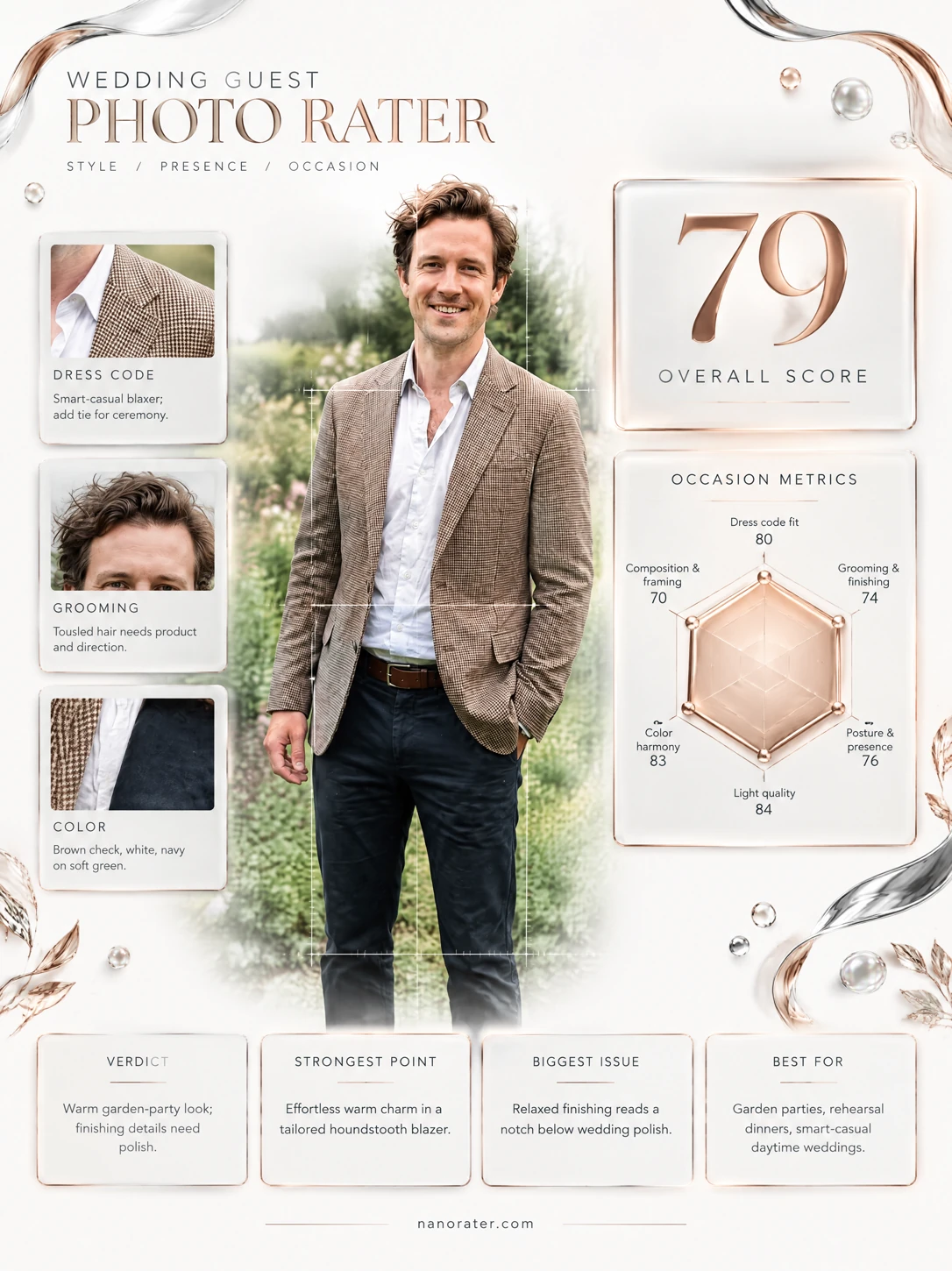
A real report, captured
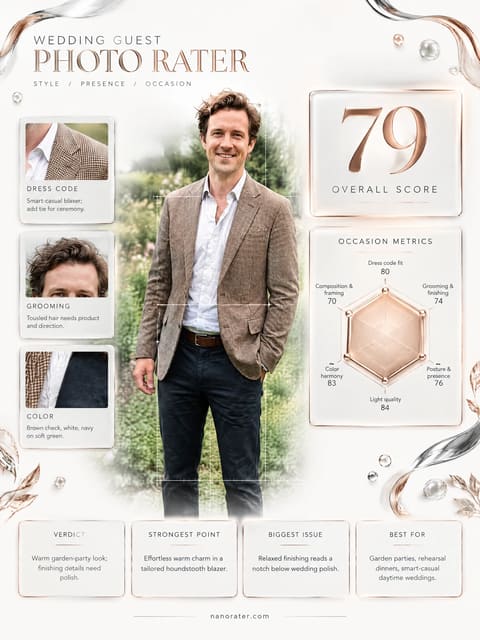
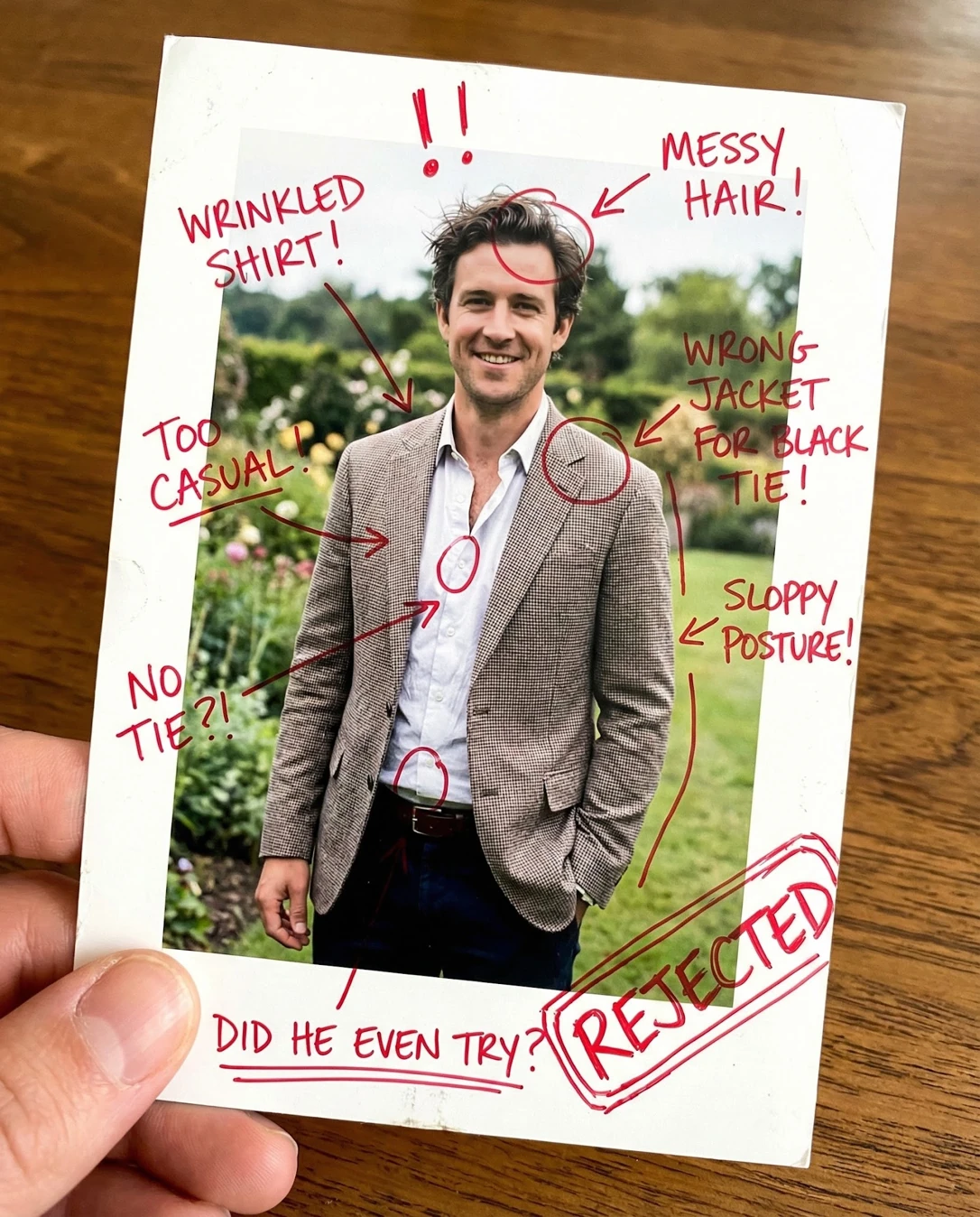
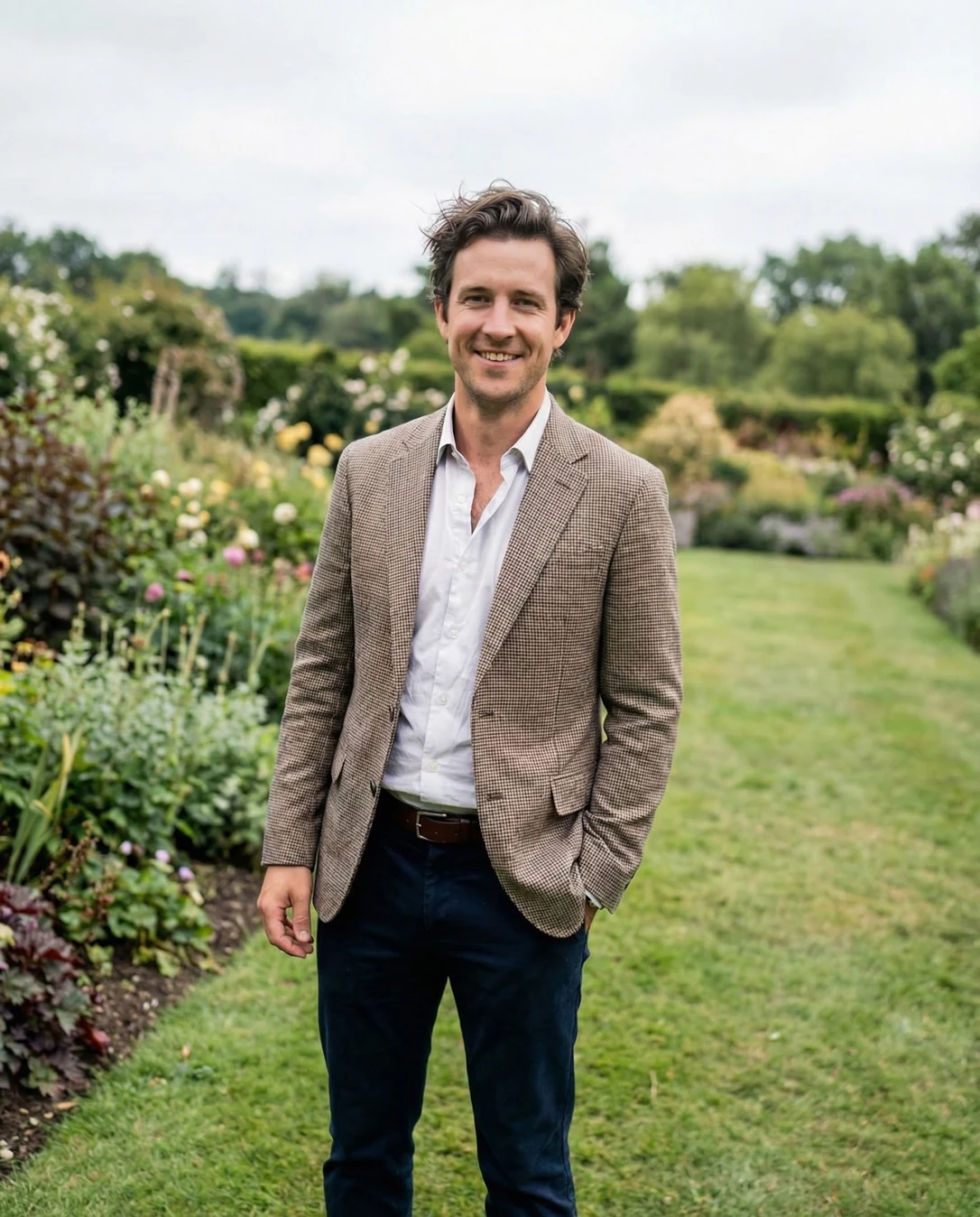
You look like the guest everyone hopes they're seated next to — a weathered-check blazer, a garden doing your PR for free, and a smile that's actually enjoying itself rather than posing for the camera. The bones here are seriously good: the tan-and-navy palette is effortless and the light is kind. The one thing standing between this and album-worthy is a shirt that clearly came straight out of a suitcase — press it, close one button, and this becomes the frame people screenshot.
Where this photo works
This genuinely works for a daytime garden or country-house wedding with a dressy-casual or smart-casual code: the unstructured check blazer, open-collar white shirt and dark trousers land squarely in relaxed celebration territory, and the garden backdrop reads as grounds rather than a random park. It does not work as evidence for a formal, black-tie or evening dress code — with two buttons open, no tie and no visible jacket structure it reads looser than those invitations require. It also can't confirm full guest appropriateness because the crop cuts off at mid-calf and the shoes are absent; as a small avatar or a close headshot it's too wide, and as a full-length outfit check it's incomplete.
Quickest fixes
- Press the shirt, or at minimum smooth the placket flat with your hands before every frame
- Fasten one more shirt button and straighten both collar points
- Take the pocket hand out, or pocket both thumbs evenly so the jacket hem stays level
Retake plan
- 1.Fifteen minutes before: steam the shirt, hang the blazer to drop its creases, and check both under the venue's actual lighting.
- 2.Five minutes before: step outside and pick a spot where an open lawn or hedge sits directly behind you — no path edges, no bright sky patches behind your head.
- 3.Set up: stand with the light source in front of you but softened (open shade or overcast), and shoot portrait-orientation so you can include shoes and full trouser break.
- 4.Style check: one button open, collar points flat, shirt smoothed down, belt centred, jacket hem level.
- Dress code fit84
Houndstooth check blazer, white shirt worn open at the collar, dark navy trousers and a brown leather belt — a textbook garden-party or country-wedding guest register. Nothing reads loud, bright or attention-seeking; the blazer carries all the pattern and it is muted.
- Grooming and finishing74
Hair is deliberately tousled with volume at the crown and a slightly windblown fringe; the light stubble is even and intentional-looking rather than unkempt. No visible lint, dandruff or shine problems, but a few strands sit out of formation against the sky.
- Garment condition62
Fresh fold lines are clearly visible across the shirt placket, both sleeves and the chest, and the fabric bunches near the belt; the jacket also shows a soft crease where the hand enters the pocket. This is the single most fixable thing in the frame.
- Neckline and buttoning68
Two buttons are unfastened, exposing the upper chest and collarbone; the collar points sit slightly splayed rather than standing. It reads relaxed and confident, but the volume of exposed chest is what tips the balance away from 'dressed for a wedding'.
- Pose and posture76
Shoulders are square to the camera, the left hand is pocketed at the hip which pulls the jacket hem slightly out of line, and the right arm hangs with a relaxed, empty hand. The stance is stable and the chin level is good, but the asymmetry is visible in the jacket's drape.
- Framing and crop70
Framed head to roughly mid-calf, with the head placed high and a band of blank white sky across the top; the feet and shoes fall outside the frame and there is noticeable empty air above the hair.
- Light and exposure80
Flat overcast daylight produces soft, even facial modelling with no harsh shadow under the brow or nose, and skin tone stays neutral. The trade-off is a slight lack of dimensionality and soft catchlights rather than crisp sparkle in the eyes.
- Background separation78
Foliage sits pleasantly out of focus, but the frame contains a bright grass path, dark planting and a pale sky patch simultaneously, and the fine check of the jacket begins to chatter against the leafy texture at this depth of field.
- Colour harmony85
Warm tan and camel in the jacket, crisp white in the shirt, deep navy in the trousers, with green foliage and a chalk-white sky as the surround — a classic complementary scheme with the person clearly as the highest-contrast element.
- Authenticity and moment86
The smile reaches the eyes, the expression reads as mid-conversation rather than commanded, and the slight head-on gaze gives direct connection with the photographer. It looks like a real second in a real afternoon.
What works
- A palette that looks expensive without trying
Tan check, white shirt, navy trousers, brown belt — four elements, zero clash, and each one flatters the others.
- Garden backdrop that places you in a story
Layered planting, clipped hedging and a lawn path give depth and unmistakably signal a wedding venue rather than a car park.
What holds it back
- Shirt reads rumpled
Multiple fold creases across the placket, chest and sleeves suggest the shirt went straight from a bag to the body.
- Neckline is looser than a wedding warrants
Two unfastened buttons with the collar splayed open, no tie or knitwear to add structure at the chest.