A real report, captured
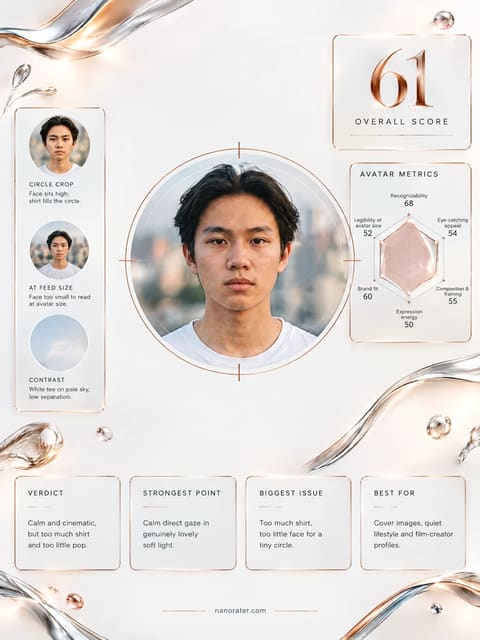
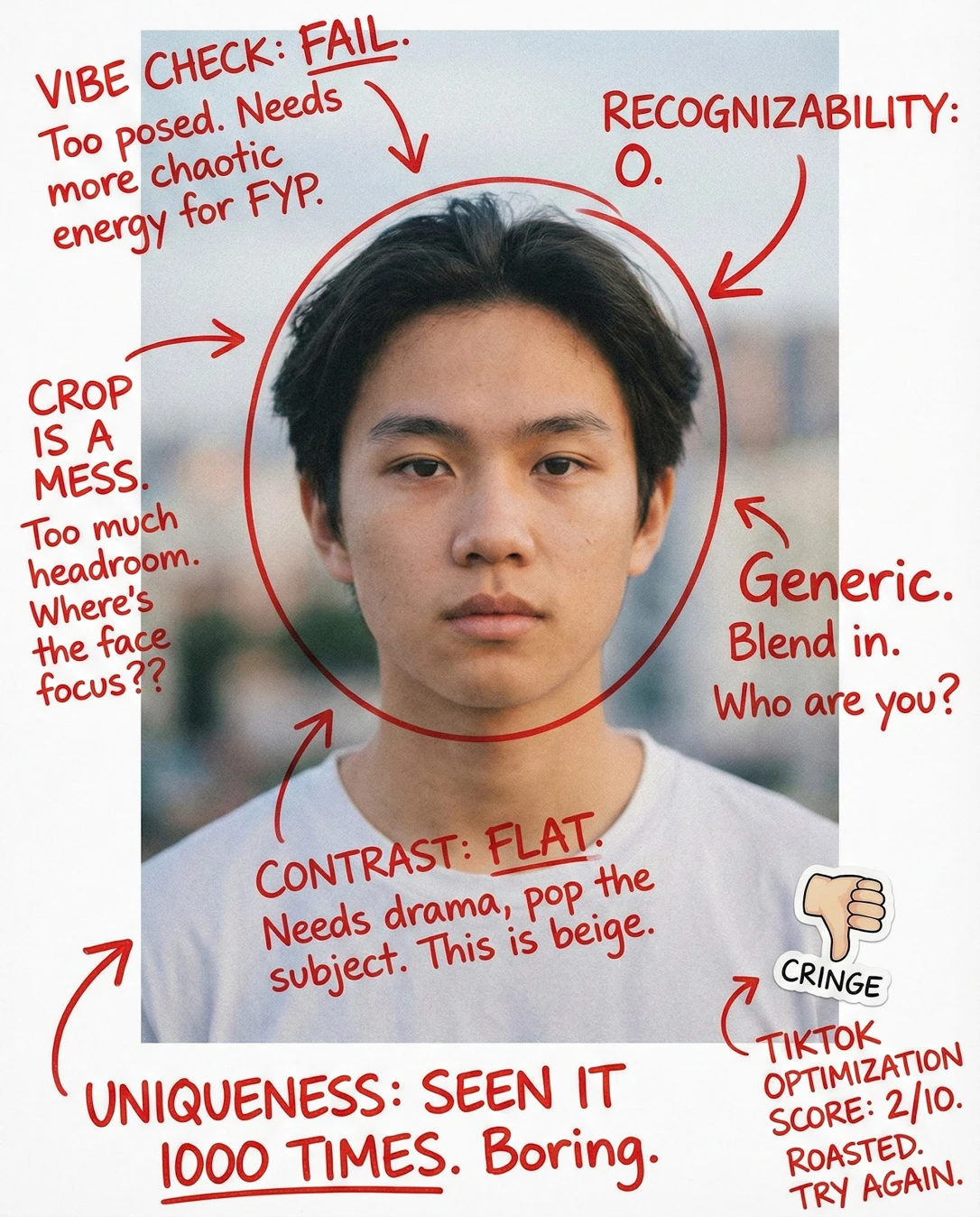
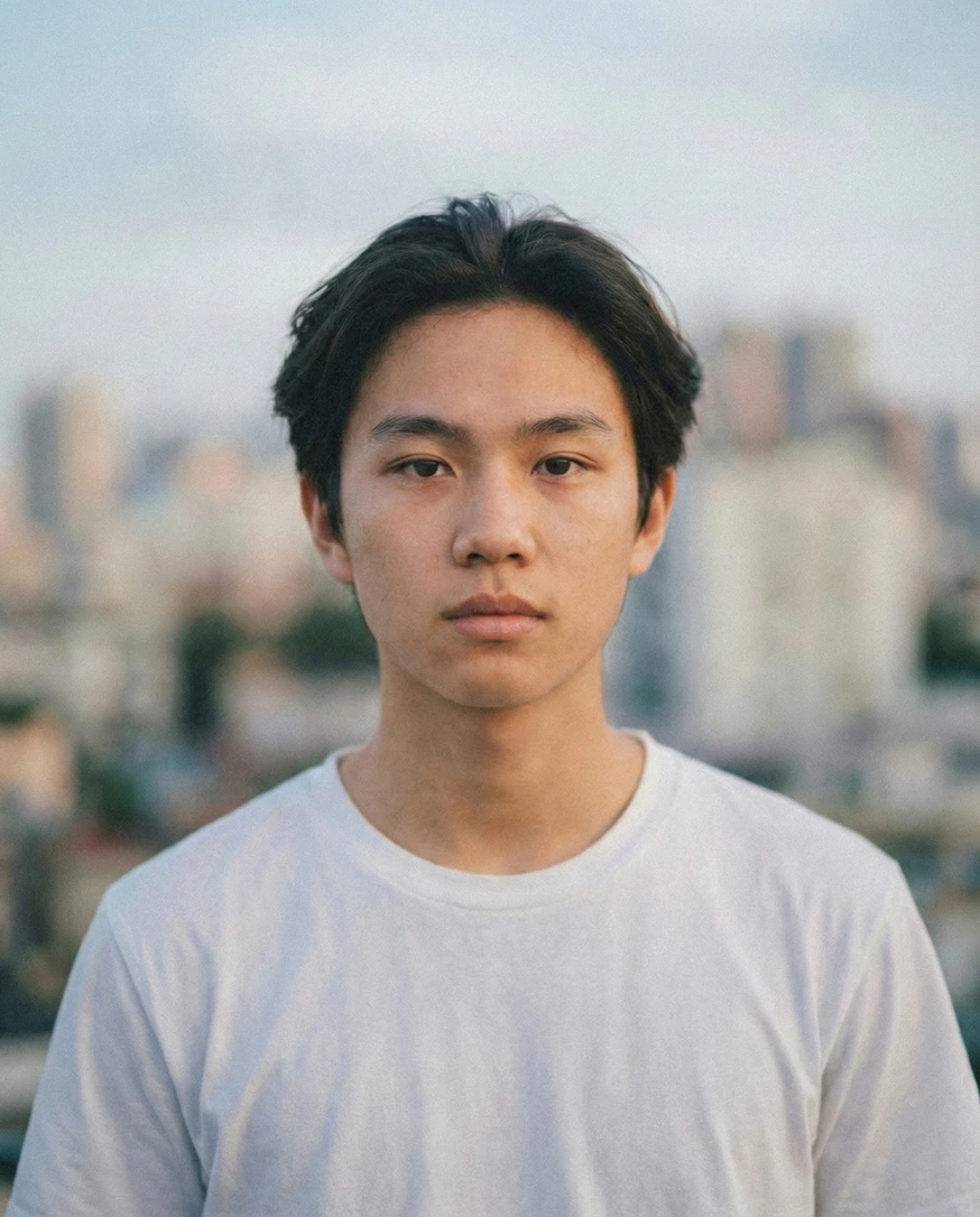
Okay, first things first — this is a genuinely beautiful portrait. That soft, overcast light wrapping your face, the clean white tee, that city melting into pastel bokeh behind you? Gorgeous craft. As a profile picture on TikTok though, it's whispering when the feed is screaming — the framing and the calm are working, but the flat expression and low-contrast palette mean you'd scroll right past yourself at 48 pixels.
Where this photo works
This shot sings on quiet, aesthetic surfaces — a Pinterest board, a Substack header, a moody personal site, or the feed of a slow-living / photography / coffee creator where 'calm' IS the brand. On TikTok's profile grid it can absolutely work for an understated, cinematic creator — but it fights the platform's loud, saturated, high-energy default, so expect it to blend into the crowd rather than pull a tap. It also won't hold up as a small circular avatar for a comedy, gaming, or hype-driven account, where bigger expression and punchier color read better.
Quickest fixes
- Raise contrast roughly 10–15% and add a soft corner vignette so the white tee and jawline separate from the pastel sky.
- Warm the white balance slightly (about +200K) to lift skin tone away from the cool background.
- Pre-crop square with the eyes on the upper third and the chin just above the bottom of the circle, then export at 1000px minimum.
Retake plan
- 1.Set the camera at your own eye height, roughly 1.5 metres back, with a medium focal length so facial proportions stay natural.
- 2.Stand slightly off-axis to the light — turn 20–30 degrees from the flat frontal position — so a soft shadow gradient restores structure to the cheek and jaw.
- 3.Place the skyline behind but offset, so a single recognizable or colorful element sits beside your head rather than directly behind it.
- 4.Add one saturated accent to the outfit — a colored jacket, cap or chain — so the thumbnail has a color anchor at 48 pixels.
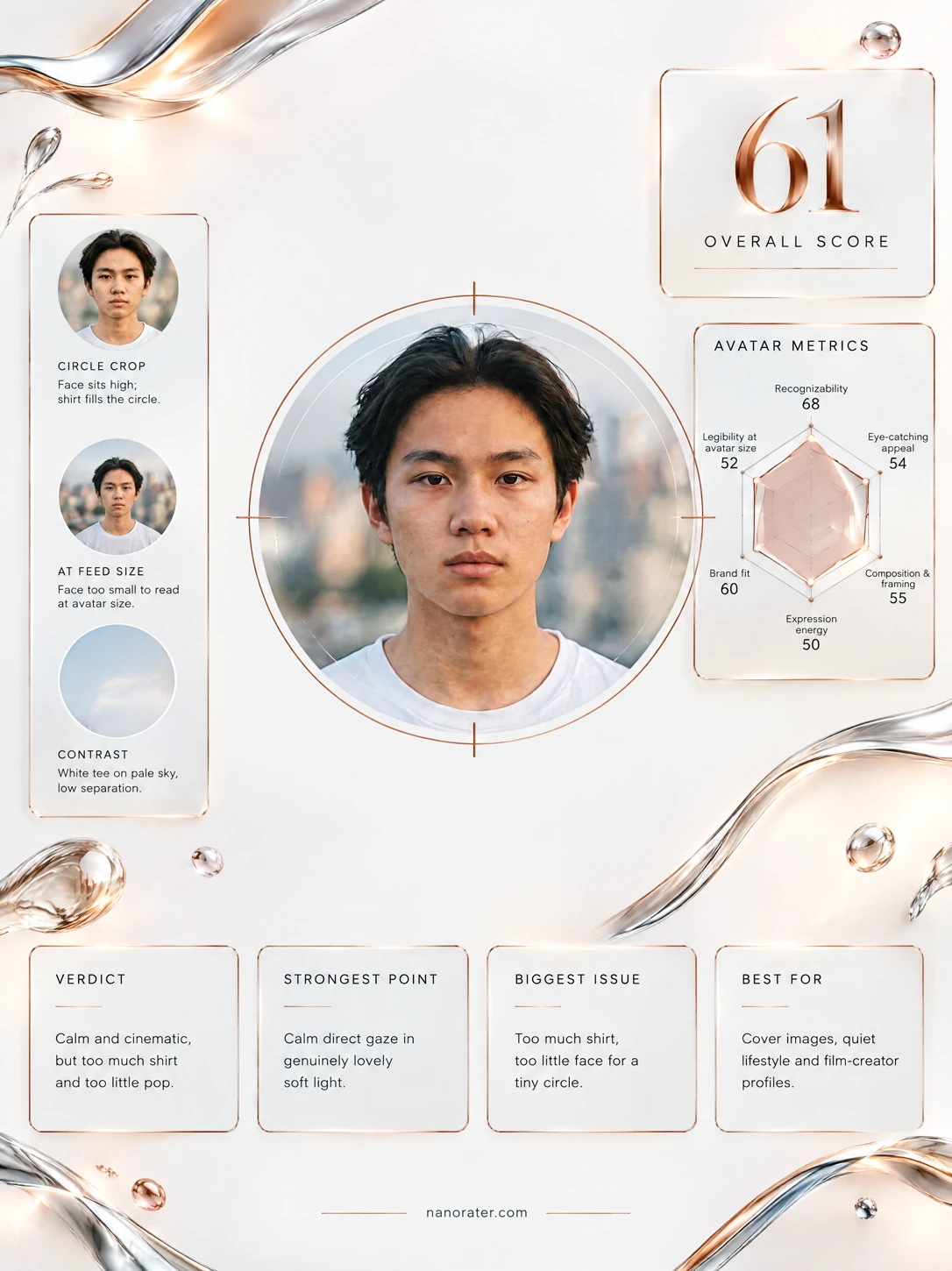
- Recognizability at avatar size82
Single subject, face fills a large share of the frame, features are unobstructed by hair shadow or accessories, and the direct front-facing gaze reads clearly even at very small render sizes.
- Eye-catching stop power in feed62
Palette is muted — pale blue-grey sky, sand-toned buildings, white cotton tee — with no saturated accent anywhere in frame. Saturation and micro-contrast are both low, which the platform's bright, high-chroma feed rewards against.
- Circular crop safety80
Head is centered horizontally, eye level sits above the vertical midpoint, and there is adequate headroom with no clipping of hair or ears. Shoulders are cut by the bottom frame edge, which is safe in a circle but leaves no lower breathing room.
- Expression energy55
Mouth is closed and level, brow is neutral, and the gaze is direct but unengaged. The cheeks and jaw show no activation, so the overall read is detached rather than inviting — the single largest gap against the purpose's acceptance criteria.
- Contrast and tonal separation58
Frontal even light produces almost no shadow gradient across the face, and the white tee occupies a similar luminance range to the pale blurred sky behind it, flattening the subject-to-ground edge at thumbnail scale.
- Background and subject separation76
Shallow depth of field cleanly blurs the skyline into soft overlapping shapes while the subject stays crisp, and the head sits against open sky rather than a busy building edge.
- Brand fit and distinctiveness60
The register is quiet, minimal and tasteful, which can support an understated creative identity, but there is no visual signature — no recurring color, prop, or setting — that would make the image identifiable as yours in a crowded grid.
- Perspective and lens distance80
Head-and-shoulders framing from a moderate working distance keeps facial proportions natural with no wide-angle nose enlargement or foreshortening; the camera is at approximately subject eye height.
- Light quality and modelling72
Soft frontal diffused daylight wraps the face evenly with a small catchlight in each eye and no harsh shadow lines. The trade-off is a slight flattening of the cheekbone and jaw structure, plus a mild shadow beneath the eyes.
- Styling and finishing details74
Hair is clean, swept back off the brow and holds shape at the crown; skin looks natural with no heavy retouching artefacts; the plain white crew-neck is neat but shows minor fabric creasing at the shoulders.
What works
- Clean, centered frontal framing built for a circle
Eyes above the vertical midpoint, head centered, ample headroom and no clipped features — the geometry already fits a circular profile crop with no repositioning needed.
- Genuine background separation from shallow depth of field
The urban skyline dissolves into soft pastel bokeh while the face, hair edges and shirt collar remain crisp, giving the subject clear figure-ground priority.
What holds it back
- Detached expression leaves the frame without energy
Fully closed mouth, level brow and a stare with no engaged expression in the eye corners; the subject appears posed and guarded rather than present.
- Low color and tonal contrast limits feed visibility
Muted pastel palette with no saturated accent, combined with even light and a white garment against a pale sky, meaning the thumbnail lacks any high-contrast anchor point.