Nanorater2,600+ people have rated a photo

Speaker / Stage Photo Rater

Rate your stage photo for authority and leadership presence. Checks posture, gestures, facial tension, light, and framing—so your bio photo looks confident, composed, and credible.
No photo handy? Rate an example:

Example rating reportExample output

AI result

Your personalized report will appear here with clear strengths and practical retake advice.

Free score and summary; free account for the full single-photo report$17.49 once for your Glow-Up Report: AI previews of you with the fixes appliedSee our privacy policy for photo storage and AI processing

What one photo gives you

One upload, three deliverables. The annotated notes and the professional card are both built from the same photo, so you can compare them side by side.

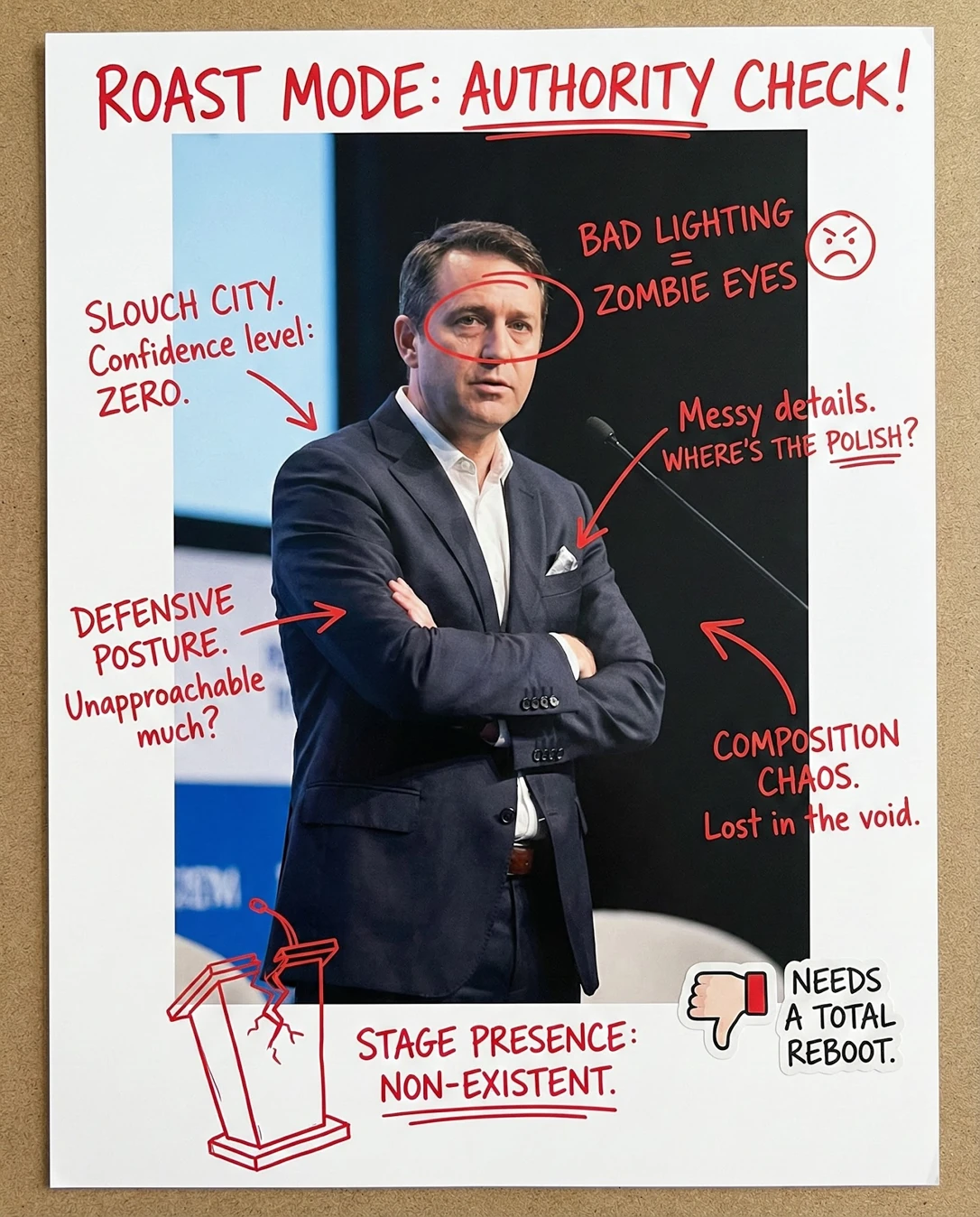
Speaker / Stage Photo Rater: Doodle notesSpeaker / Stage Photo Rater: Your photoYour photoDoodle notes
Drag the divider — or use arrow keys — to wipe between the original upload and the annotated result.
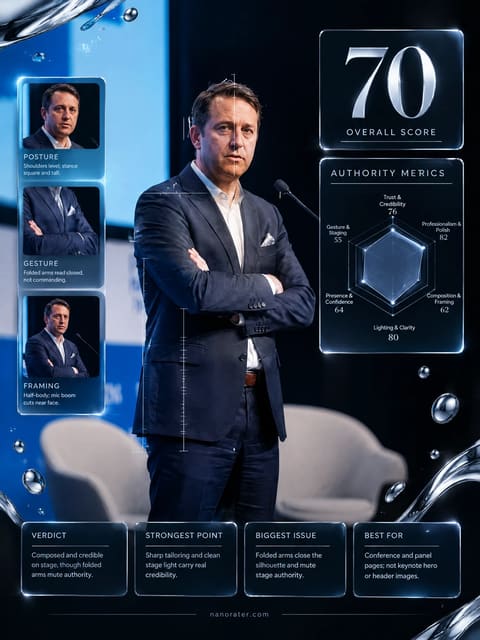
Speaker / Stage Photo Rater: Professional card
Professional cardA clean, shareable report card built from the same photo

A real report, captured

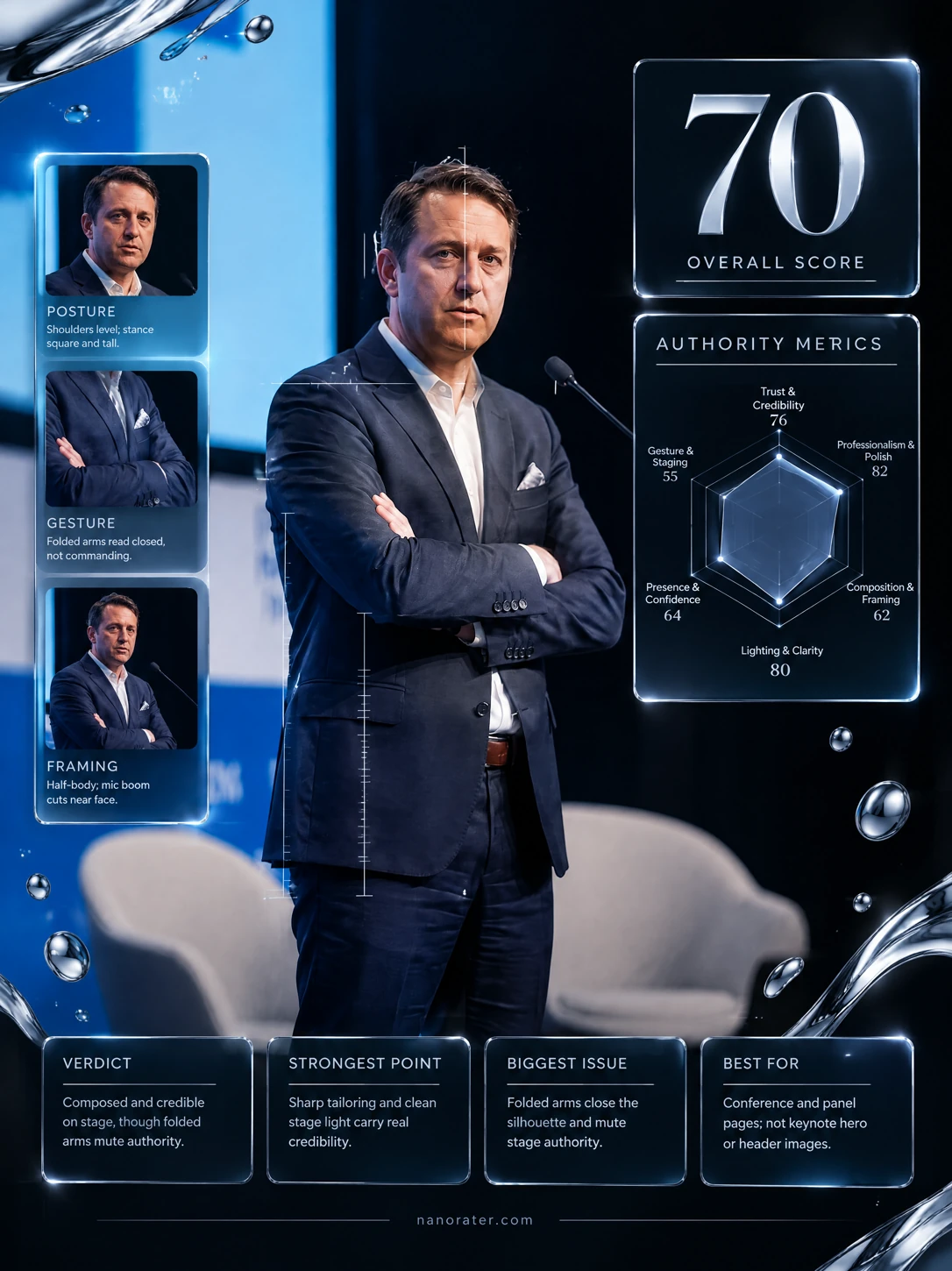
Oh, this one's already halfway to commanding a room — the suit, the light, the stage all show up for you. But those crossed arms and that faraway gaze turn a keynote into a waiting room. Unclench one arm, find the lens, and this frame suddenly has a spine.

68/ 100
Potential
87

Where this photo works

Genuinely works for conference recaps, panel-lineup announcements, speaker bio pages and 'on stage today' social posts — the stage context and tailoring sell credibility fast. It does not work as a keynote hero banner, a pull-quote card, or anything needing eye contact with the audience, and it is far too distant and closed for a small avatar or a profile thumbnail.

Quickest fixes

  • Uncross the arms and rest one hand at your side.
  • Turn your head to face the camera and soften the mouth.
  • Crop in to waist level to eliminate the grey chairs.

Retake plan

  1. 1.Pick the moment: have the photographer shoot during your opening or closing two minutes, when the body is warm and the face is animated rather than waiting.
  2. 2.Before the shutter, uncross the arms and set an open stance — weight on the back foot, one hand at your side or resting on the lectern edge.
  3. 3.Turn the chest about 30 degrees to the room but keep the head facing the camera position, so both eyes read to the lens.
  4. 4.Aim for a mid-sentence expression: mouth slightly open or a small closed-mouth smile, jaw relaxed rather than set.
  • Posture & Authority55

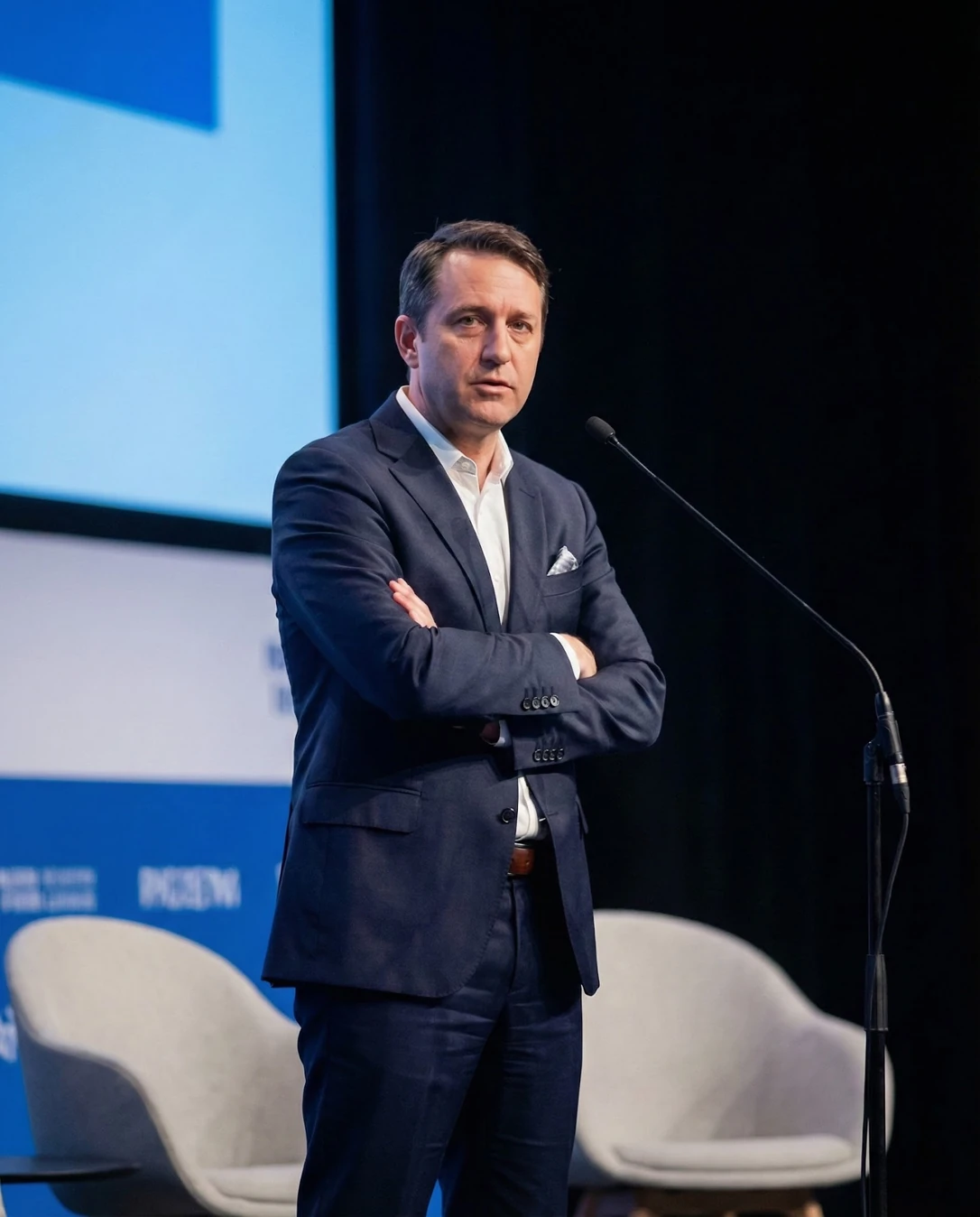
    Both arms folded across the chest, shoulders level but slightly raised, weight distributed evenly on both feet. The silhouette reads closed and static rather than grounded and open.

  • Gesture & Openness50

    No hands are visible in the frame; the only gestural information is the folded forearms, which is the least persuasive gesture available on a stage.

  • Facial Presence & Expression58

    Eyes directed off-camera to the left, brow relaxed but unsmiling, lips closed with mild tension at the corners. The expression is thoughtful, not engaged.

  • Composition & Framing56

    Subject sits left of the compositional grid with the head above centre, leaving a large empty right field occupied by the angled mic boom. The bottom edge clips two grey chairs mid-form.

  • Lighting & Clarity73

    Front key light produces even facial exposure with clean separation of the white shirt against the dark suit; there is mild specular sheen on the forehead and the stage light flattens some facial modelling.

  • Wardrobe & Finishing86

    Navy suit with correct sleeve and trouser break, crisp white open-collar shirt, patterned pocket square, dark belt. No tie, which suits the modern conference register.

  • Background Separation66

    Dark stage backdrop isolates the head and shoulders cleanly, but a bright cyan-blue screen edge fills the upper left and pale grey chairs break the lower edge, splitting attention.

  • Trust & Credibility70

    The setting, tailoring and microphone together signal an established speaker on a real stage, which builds trust quickly; the closed body language undercuts it at the emotional level.

What works

  • Suit tailoring carries the credibility

    Clean shoulder line, correct sleeve length exposing a sliver of cuff, and consistent dark navy across jacket and trouser.

  • Front stage light exposes the face cleanly

    Eyes are bright, skin tone is neutral, and the white shirt separates from the dark suit without blowing out.

What holds it back

  • Crossed arms read defensive, not commanding

    Forearms folded high across the chest with hands hidden, closing the torso line.

  • Eyes miss the lens entirely

    Gaze is directed to the left of frame, away from the camera position.
Generated by the live pipeline from the example photo above — a real report, unedited. Your report is written about your photo, in your language.

What this tool does

A stage photo should communicate authority and clarity: “this person can lead a room.” This tool reviews posture, gestures, and framing so you look confident and composed on stage.

  • Posture is open: shoulders back, chest relaxed, head level.
  • Hands look intentional (not mid-flail, not hidden).
  • Face reads calm and focused (not tense jaw).
  • Lighting doesn’t create harsh shadows or sweaty shine.
  • Microphone and props don’t block the face.
  • Framing includes enough context (stage, audience hint) without clutter.
  • Background screens aren’t cutting through your head.
  • Moment looks like you’re “making a point,” not waiting awkwardly.

How to use it

  1. 1Upload your best stage photo (or two options).
  2. 2Mark the moment: are you explaining, listening, or joking?
  3. 3If retaking, ask for a shot at chest height from front-left/front-right.
  4. 4Use gestures that “underline” your point (open palm, not pointing aggressively).
  5. 5Keep chin level; avoid looking down at notes too long.
  6. 6If possible, request cleaner background angles without screen clutter.
  7. 7Pick the frame where you look mid-sentence, not mid-blink.

Scoring rubric

Trust & credibility

An open, grounded presence that makes you look like the person who owns the room.

Professionalism & polish

Intentional posture, gestures, and grooming that fit your brand as a speaker.

Composition & framing

A frame with enough stage context to add authority without clutter.

Lighting & clarity

Clean stage light that keeps your face readable without harsh shine or shadows.

Presence & confidence

A captured mid-point moment that shows you making a point, not waiting.

Who it's for

  • Speakers choosing a keynote photo for websites and bios.
  • Consultants and coaches building authority assets.
  • Founders sharing conference photos on LinkedIn.
  • Event organizers selecting promo images.
  • Anyone preparing a speaker one-sheet.
  • People improving on-stage body language for future shoots.

Who it's not for

  • If you need a clean corporate headshot (use LinkedIn tool).
  • If the photo is too far away to see posture/face.
  • If the scene is extremely dark and details are lost.
  • If you want an artistic concert vibe rather than authority.
  • If you want wardrobe-only analysis.
  • If you only want a score and no coaching guidance.

Do and don't

Do

  • Use open-palm gestures to look inclusive.
  • Keep shoulders relaxed and chest open.
  • Angle body slightly, not rigidly front-on.
  • Pick frames where eyes are open and engaged.
  • Avoid blocking your face with mic/hand.
  • Ask photographers for front 45° angles.
  • Use a clean background version for your speaker bio.

Don't

  • Don’t use frames where you’re blinking or grimacing.
  • Don’t choose a shot with awkward hand flailing.
  • Don’t let the slide deck distract from you.
  • Don’t hunch or look down at notes in your hero image.
  • Don’t let harsh top light create deep eye shadows.
  • Don’t pick a crop that makes you tiny and unrecognizable.
  • Don’t post the messiest backstage background as your main asset.

Common questions

FAQ

Open posture, intentional gestures, and a captured “mid-point” moment. Avoid blink frames and awkward hands.

Nanorater

Rate more photos with different personas

Upload one photo, switch the point of view, and iterate on feedback you can use.

AI Disclosure: This tool uses artificial intelligence to analyze photos and provide feedback. Results are for entertainment and educational purposes and should not be considered professional advice.