
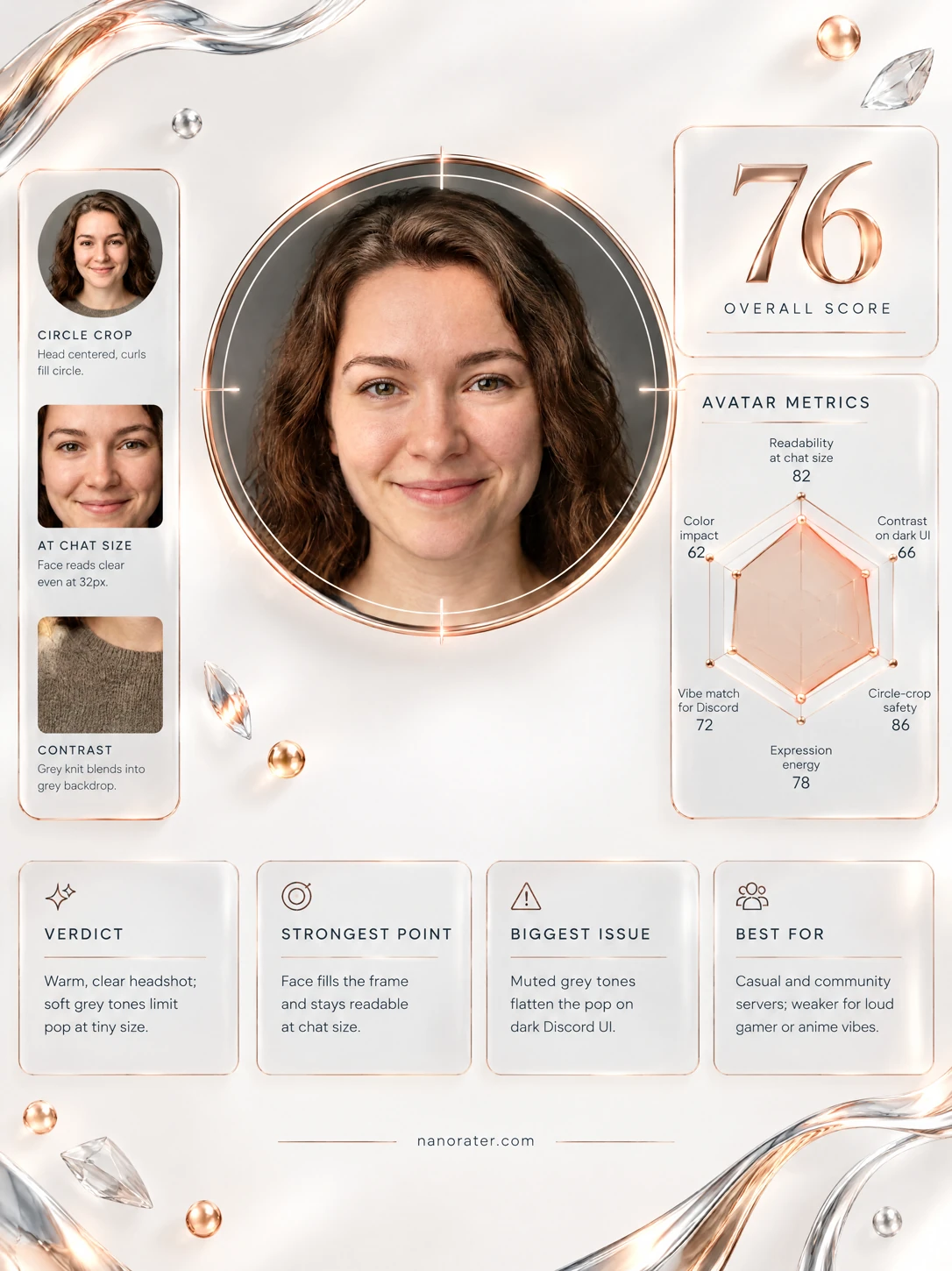
A real report, captured
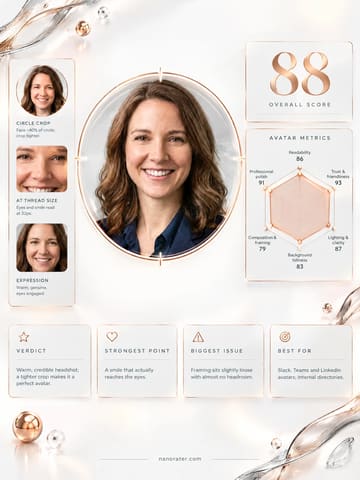
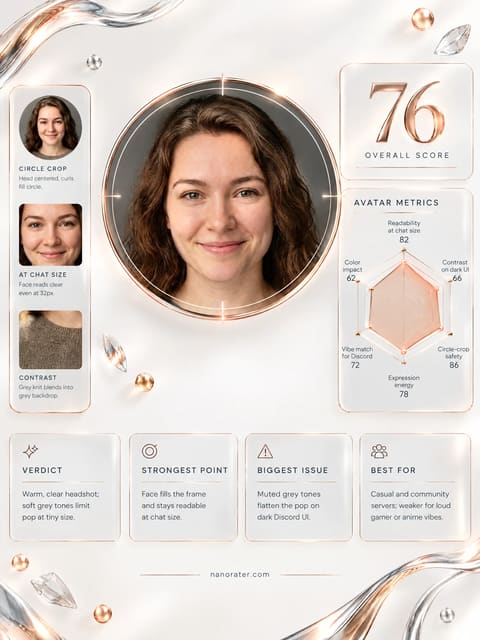
Oh, this is a genuinely lovely headshot — steady eyes, a kind half-smile, and a face that reads instantly even at 32px; the only thing holding it back in the group chat is that it's dressed for LinkedIn rather than for a lively, dark, scrolling server column.
Where this photo works
Genuinely works for: work, study, community and hobby servers where a real, trustworthy face matters; DMs and applications; any profile that wants to read 'calm, safe, real person'. It works less well for: busy gamer, anime or meme servers where bold, high-contrast or colourful avatars pop out of a fast chat column — here the muted grey-on-grey palette and quiet closed-mouth smile make it recede next to louder icons.
Quickest fixes
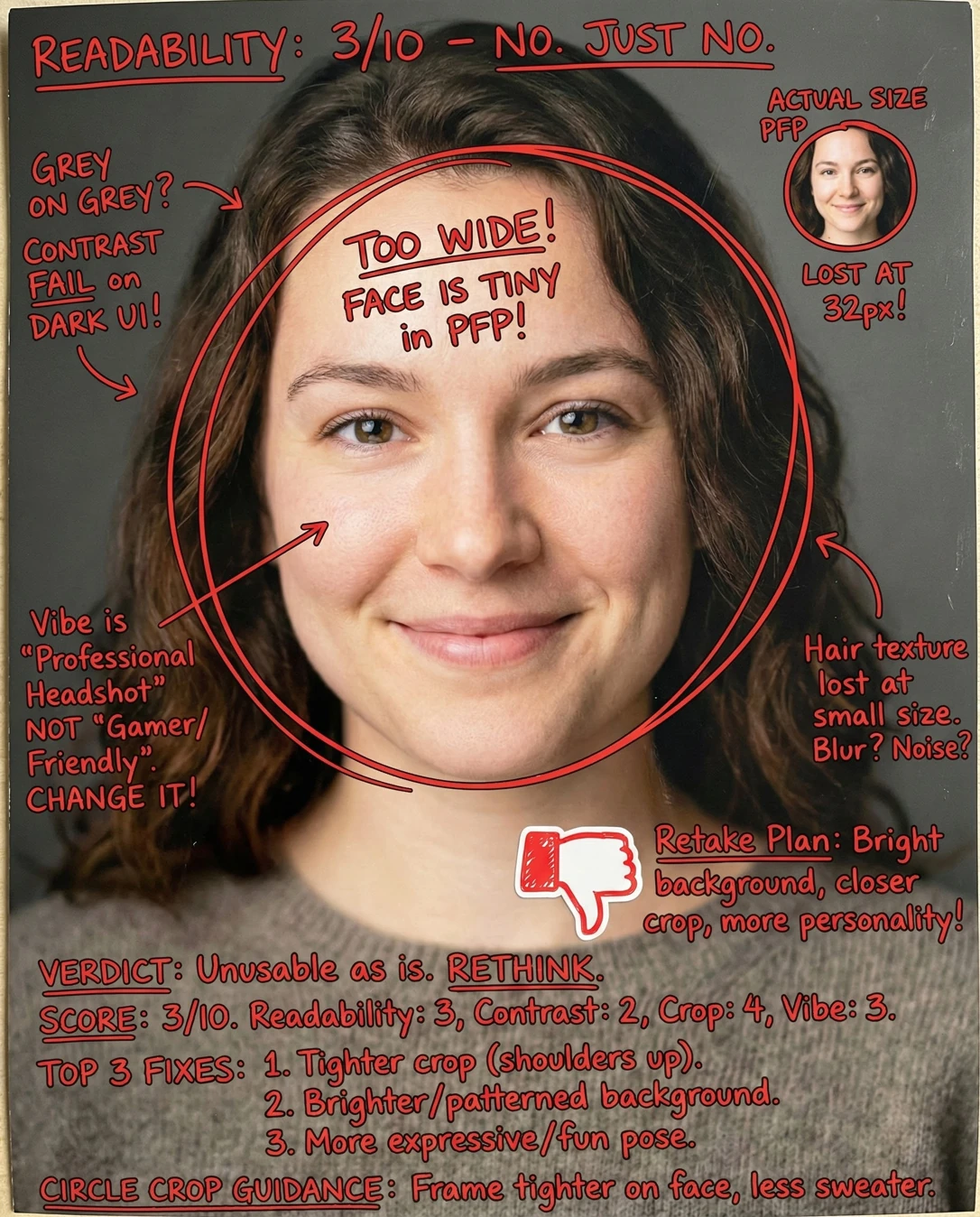
- Crop tighter so the head fills roughly 70-75% of the width before uploading.
- Nudge brightness, contrast and warmth up a small amount to stop the mid-grey backdrop blending into dark UI.
- Upload as a square with the eyes on the horizontal centre line so the circular mask lands naturally.
Retake plan
- 1.Lighting: keep the current soft side key and add a small fill card or bounce on the shadow side so both cheeks carry texture at thumbnail size; add a subtle hair rim light for edge separation.
- 2.Distance and lens: shoot at roughly 85mm equivalent from about 1.2-1.5m to keep facial proportions natural; avoid a phone at arm's length, which widens the nose and shrinks the jaw.
- 3.Background: swap the mid-grey studio grey for a lighter neutral or a single colour accent, and stay at least a metre off it so it stays defocused and never competes with the face.
- 4.Framing: head and shoulders only, eyes on or just above the centre line, small even margins on both sides, shoulders squared or angled a few degrees toward camera.
- Readability at 32-96px88
Front-facing, subject centered, eyes just above centre, tight head-and-shoulders crop so the head occupies roughly half the frame height; both eyes, brows, nose and mouth are individually discernible and no detail is lost to softness or motion.
- Contrast against dark UI72
Skin is the brightest value in frame and separates well from the plain background, but the backdrop itself is mid-grey and the sweater is a near-match greige, so the outer edge of the circular avatar has little luminance step against Discord's dark surfaces.
- Circle-crop survivability84
Head is centred horizontally with even hair mass on both sides, so a circular mask keeps the face intact; the wavy hair provides a natural soft frame at the lower and side edges of the circle.
- Discord vibe match70
Neutral knitwear, plain studio backdrop and a calm closed-mouth smile place this firmly in a professional/portrait register; nothing in the styling signals gamer, anime or meme-server energy.
- Expression energy68
Direct, engaged gaze with good catchlights and a gentle closed-lip smile; the expression is warm and trustworthy but low-amplitude, and closed-mouth smiles flatten first when an avatar is scaled down.
- Lighting craft88
Soft key from the side produces gentle directional shaping across the cheek and jaw with a smooth falloff, clean catchlights in both eyes, no hot spots, no blown highlights, and even, natural-looking skin rendering.
- Background separation80
Background is plain with no competing objects and is defocused just enough to hold the subject forward; hair edges remain clearly defined against it.
- Colour punch at small size62
Palette is narrow and desaturated: mid-grey backdrop, greige knit, soft brown hair and warm-beige skin all sit in the same low-chroma family, leaving no single hue that survives compression into a tiny icon.
- Composition and eye line86
Symmetrical front-facing pose, eye level above the vertical centre, balanced negative space on both sides, shoulders squarely squared to camera; the geometry is orderly and reads calmly rather than stiffly.
- Brand safety95
Fully clothed, neutral studio portrait with no text, no gestures, no weapons, no nudity and nothing contentious; safe for any community, workplace or public server.
What works
- Instantly recognisable, well-centred face
Front-facing subject placed at the centre of a tight head-and-shoulders crop, eyes slightly above centre, so the circular mask retains the whole face without clipping.
- Clean, flattering studio light with real catchlights
Soft side key yields smooth tonal transitions on the cheeks with no harsh shadows, blown highlights or visible noise, and both eyes carry crisp catchlights that keep the gaze alive when scaled down.
What holds it back
- Grey palette blends into dark chat UI
Backdrop and knitwear occupy the same mid-to-dark neutral range, leaving low luminance separation at the avatar's outer edge when displayed on dark interface panels.
- Low-chroma palette lacks a thumbnail signature
Greys, soft browns and warm-beige skin sit in one low-saturation family; no single hue survives the compression to a 32px icon, so the avatar is recognisable more by shape than by colour.